More browsing paths
Play Hello Kitty no Happy House (Japan edition · Japanese) Online
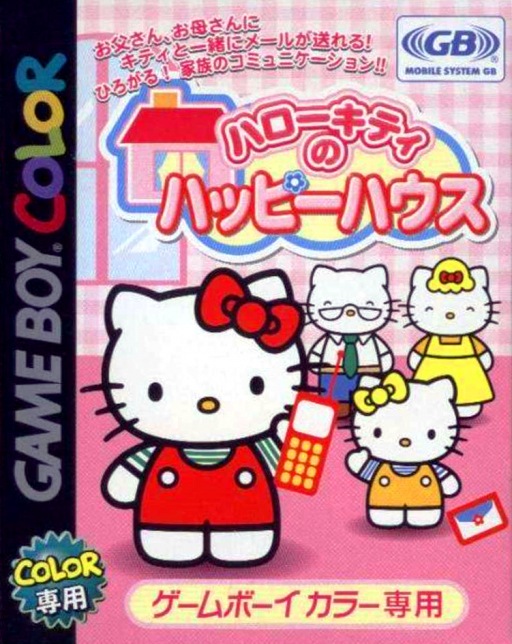
Hello Kitty no Happy House
Play Hello Kitty no Happy House online on Game Boy Color. Become Hello Kitty's new friend and help restore Happy House through conversation, mini-games and furnishings. Introduce yourself, learn the available activities and use earned points to develop the house a little at a time.
Browser play
Game Boy Color (GBC) — EmulatorJS controls
Default Player 1 keyboard mapping. Change keys in Controller Settings.
| Console button | Keyboard |
|---|---|
| ↑ / ↓ / ← / → | ↑ / ↓ / ← / → |
| A / B | Z / X |
| START / SELECT | Enter / V |
Open Controller Settings to configure your keyboard or gamepad. Touch controls are available on mobile.
How to Play Hello Kitty no Happy House
Quick start
Set a name and greeting, meet Kitty and try an available activity. Read its guide, earn points and inspect a furniture choice for the house.
Controls
D-pad selects words, activities and furnishings, A confirms and B returns where offered. Mini-games use their displayed action guide. Read placement options before confirming furniture; conversation and activities use different choices.
Hello Kitty no Happy House — About this game
Begin by reading Kitty's responses and the words the communication system offers. Play an introductory mini-game, then compare furniture choices with the points available. Place one new item and see how the house changes before saving up for another addition.
Cheats
No cheats have been added for this edition.
Player verification and sources
Browser play was reviewed before this edition was published in the catalogue. The date below is the catalogue publication date, not the game’s original release date.
- Browser test and catalogue publication date
- Browsers and devices
- PC: Chrome, Edge and Firefox. Mobile: Chrome on Android and Safari on iPhone and iPad.
- Player engine and core
- EmulatorJS 4.3.0-pre · gb
- Tested by
- rwEmulator
Sources and editorial basis
rwEmulator reviews edition metadata, release information, game manuals and first-hand browser-play notes. Available manuals are linked below; the editorial policy explains how facts are checked and corrections are handled.