More browsing paths
Play Hirake! Ponkikki (Japan edition · Japanese) Online
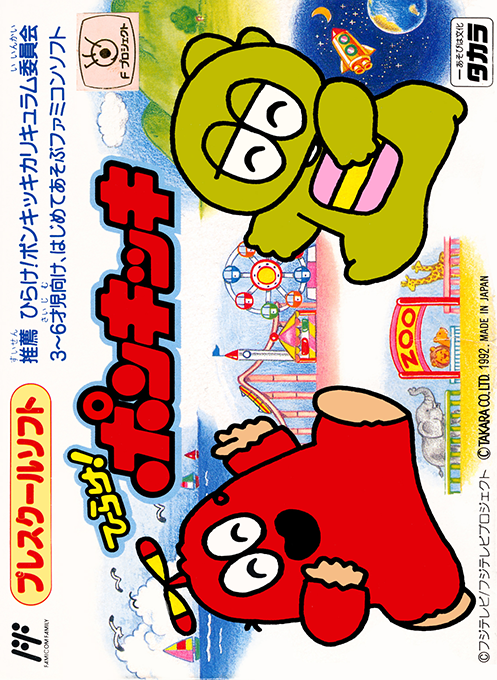
プレスクールソフト ひらけ!ポンキッキ
Play Hirake! Ponkikki online with Gachapin and Mukku. Explore islands, track UFOs, match shapes, dodge enemies, and enjoy a colourful Famicom minigame adventure.
Browser play
Nintendo Entertainment System (NES) / Famicom — EmulatorJS controls
Default Player 1 keyboard mapping. Change keys in Controller Settings.
| Console button | Keyboard |
|---|---|
| ↑ / ↓ / ← / → | ↑ / ↓ / ← / → |
| A / B | Z / X |
| START / SELECT | Enter / V |
Open Controller Settings to configure your keyboard or gamepad. Touch controls are available on mobile.
How to Play Hirake! Ponkikki
Quick start
Choose the player mode and character, then use the map to visit houses other than the starting one. In the opening platform stage, focus on avoiding enemies rather than collecting every fruit. Track one UFO carefully before the shuffle starts, and compare the wall shapes before moving in the matching game. Cleared locations change their sign, helping you find the challenges still needed to open the way onward.
Controls
D-pad: move around the island map and mazes; walk into a house on the map to enter its challenge. In the side-scrolling fruit game, either A or B jumps. For rock-paper-scissors, hold up for rock, down for paper, or left/right for scissors. Controls depend on the minigame, so check the instructions shown for each activity.
Hirake! Ponkikki — About this game
Hirake! Ponkikki is a Famicom minigame collection starring the two familiar characters from the Japanese children's television programme. Walk around each island map and enter houses to clear their challenges. The same five game types return with tougher layouts or requirements: follow a hidden character as UFOs shuffle, match shapes, play rock-paper-scissors, collect fruit in scrolling stages, and navigate mazes. This is not simply a matching-pairs puzzle. Movement challenges require real care because touching an enemy causes a failure. One- and two-player modes are available, and fruit-symbol passwords let you return to later islands rather than repeat the entire journey.
Cheats
No cheats have been added for this edition.
Player verification and sources
Browser play was reviewed before this edition was published in the catalogue. The date below is the catalogue publication date, not the game’s original release date.
- Browser test and catalogue publication date
- Browsers and devices
- PC: Chrome, Edge and Firefox. Mobile: Chrome on Android and Safari on iPhone and iPad.
- Player engine and core
- EmulatorJS 4.3.0-pre · nes
- Tested by
- rwEmulator
Sources and editorial basis
rwEmulator reviews edition metadata, release information, game manuals and first-hand browser-play notes. Available manuals are linked below; the editorial policy explains how facts are checked and corrections are handled.