More browsing paths
Play Hot Wheels: Velocity X (Europe edition) Online
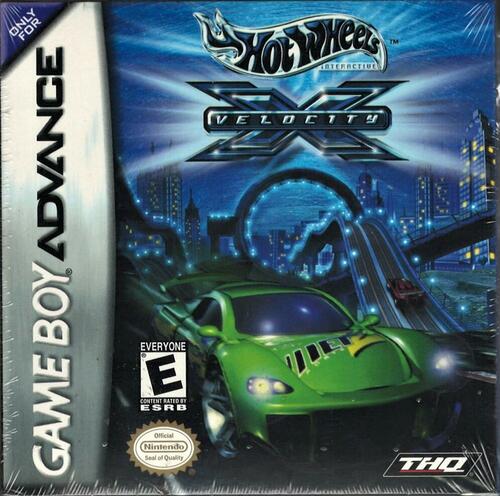
Hot Wheels: Velocity X
Play Hot Wheels: Velocity X online and tackle GBA story missions with vehicle unlocks, collectible gadgets, stunt-charged energy and short Turbo bursts.
Browser play
Game Boy Advance (GBA) — EmulatorJS controls
Default Player 1 keyboard mapping. Change keys in Controller Settings.
| Console button | Keyboard |
|---|---|
| ↑ / ↓ / ← / → | ↑ / ↓ / ← / → |
| A / B | Z / X |
| L / R | Q / E |
| START / SELECT | Enter / V |
Open Controller Settings to configure your keyboard or gamepad. Touch controls are available on mobile.
How to Play Hot Wheels: Velocity X
Quick start
From the Main Menu choose Story Mode, read the opening story screens with A, select the first available mission and confirm the vehicle. Follow the objectives shown before the race and repeated on the pause screen. Finish the mission to unlock more vehicles and stages; collect gadgets on the course, perform jumps and stunts to recharge their meter, and save Turbo for a clear straight.
Controls
Use the Control Pad to steer, A to accelerate and B to brake or reverse. Tap A twice for a short Turbo burst. L cycles through collected gadgets and R uses the selected gadget once its meter is charged. START pauses and shows current objectives; from that menu START resumes and SELECT quits to mission select. In menus, A confirms and B returns.
Hot Wheels: Velocity X Game manuals
Cheats
No cheats have been added for this edition.
Player verification and sources
Browser play was reviewed before this edition was published in the catalogue. The date below is the catalogue publication date, not the game’s original release date.
- Browser test and catalogue publication date
- Browsers and devices
- PC: Chrome, Edge and Firefox. Mobile: Chrome on Android and Safari on iPhone and iPad.
- Player engine and core
- EmulatorJS 4.3.0-pre · gba
- Tested by
- rwEmulator
Sources and editorial basis
rwEmulator reviews edition metadata, release information, game manuals and first-hand browser-play notes. Available manuals are linked below; the editorial policy explains how facts are checked and corrections are handled.