More browsing paths
Play Hoyle Casino (US edition · English) Online
Hoyle Casino
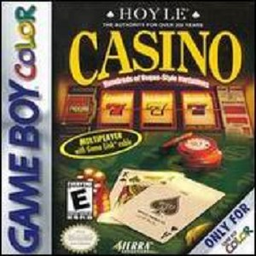
Play Hoyle Casino online on Game Boy Color. Explore simulated casino tables and machines in Hoyle Casino, from blackjack and poker to roulette and slots. Sign in with a player profile, choose a game and use its built-in help to understand the current decisions.
Browser play
Game Boy Color (GBC) — EmulatorJS controls
Default Player 1 keyboard mapping. Change keys in Controller Settings.
| Console button | Keyboard |
|---|---|
| ↑ / ↓ / ← / → | ↑ / ↓ / ← / → |
| A / B | Z / X |
| START / SELECT | Enter / V |
Open Controller Settings to configure your keyboard or gamepad. Touch controls are available on mobile.
How to Play Hoyle Casino
Quick start
Create a player name and picture, sign in and select a game. Press START to read Help, Hint or Strategy and try a small simulated wager.
Controls
D-pad selects, A activates a choice or adds to a bet, B returns or subtracts. START opens help; SELECT opens options including Quit. Down opens the chip tray, Left/Right chooses value and Up closes it.
Hoyle Casino — About this game
Begin with one game and read the Help or Hint before changing tables. In blackjack, compare the available hit or stand choices; for betting, use the chip tray to adjust a simulated wager. Practice mode can show advice when your action differs from its recommendation.
Hoyle Casino Game manuals
Cheats
No cheats have been added for this edition.
Player verification and sources
Browser play was reviewed before this edition was published in the catalogue. The date below is the catalogue publication date, not the game’s original release date.
- Browser test and catalogue publication date
- Browsers and devices
- PC: Chrome, Edge and Firefox. Mobile: Chrome on Android and Safari on iPhone and iPad.
- Player engine and core
- EmulatorJS 4.3.0-pre · gb
- Tested by
- rwEmulator
Sources and editorial basis
rwEmulator reviews edition metadata, release information, game manuals and first-hand browser-play notes. Available manuals are linked below; the editorial policy explains how facts are checked and corrections are handled.