More browsing paths
Play I Heart Geeks (US edition · English) Online
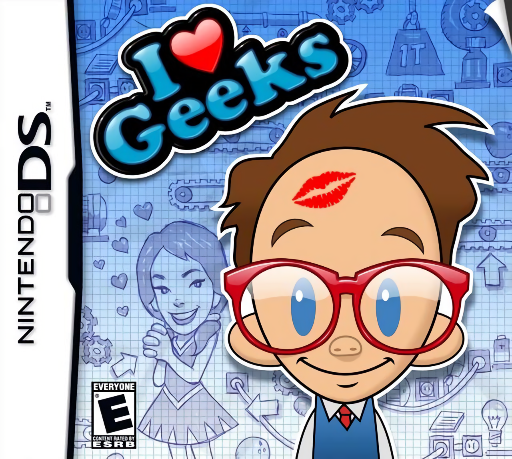
I Heart Geeks
Play I Heart Geeks online. Arrange springs, ramps and gadgets into a chain reaction, then test your machine. See the Nintendo DS starting guide and controls.
Browser play
Nintendo DS (NDS) — EmulatorJS controls
Default Player 1 keyboard mapping. Change keys in Controller Settings.
| Console button | Keyboard |
|---|---|
| ↑ / ↓ / ← / → | ↑ / ↓ / ← / → |
| A / B / X / Y | Z / X / A / S |
| L / R | Q / E |
| START / SELECT | Enter / V |
| Microphone | Not assigned |
Open Controller Settings to configure your keyboard or gamepad. Touch controls are available on mobile.
How to Play I Heart Geeks
Quick start
Read the first target, inspect the supplied parts and place a small working chain. Run it, observe where it stops and revise that section.
Controls
Use the stylus to place and adjust the available parts, then select the run control to test. Stop or reset through the displayed controls before editing the arrangement again.
I Heart Geeks — About this game
I Heart Geeks makes simple goals depend on elaborate physics machines. A fixed scene supplies most of the setup, while you place the remaining parts to move a ball, trigger a switch or pop a balloon. Watch the first failure and change one angle or position at a time. Later parts introduce liquids and electricity, so follow the whole chain rather than staring only at the final target. Begin with the introductory tests; ordinary puzzles allow experimentation, while boss pranks add a time limit.
I Heart Geeks Game manuals
Cheats
No cheats have been added for this edition.
Player verification and sources
Browser play was reviewed before this edition was published in the catalogue. The date below is the catalogue publication date, not the game’s original release date.
- Browser test and catalogue publication date
- Browsers and devices
- PC: Chrome, Edge and Firefox. Mobile: Chrome on Android and Safari on iPhone and iPad.
- Player engine and core
- EmulatorJS 4.3.0-pre · nds
- Tested by
- rwEmulator
Sources and editorial basis
rwEmulator reviews edition metadata, release information, game manuals and first-hand browser-play notes. Available manuals are linked below; the editorial policy explains how facts are checked and corrections are handled.