More browsing paths
Play I Spy - Universe (US edition) Online
I Spy - Universe
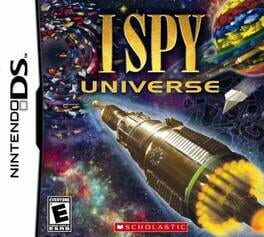
Play I Spy - Universe online. Search alien scenes for generator parts and solve puzzles to fuel the next planetary trip. See the Nintendo DS starting guide and controls.
Browser play
Nintendo DS (NDS) — EmulatorJS controls
Default Player 1 keyboard mapping. Change keys in Controller Settings.
| Console button | Keyboard |
|---|---|
| ↑ / ↓ / ← / → | ↑ / ↓ / ← / → |
| A / B / X / Y | Z / X / A / S |
| L / R | Q / E |
| START / SELECT | Enter / V |
| Microphone | Not assigned |
Open Controller Settings to configure your keyboard or gamepad. Touch controls are available on mobile.
How to Play I Spy - Universe
Quick start
Read the first riddle and find its objects. Complete a fuel puzzle, travel onward and continue collecting the generator's missing parts.
Controls
Drag the stylus to move the scene and tap requested objects. A toggles the upper display between the riddle and another image section; puzzle responses follow their own touch prompts.
I Spy - Universe — About this game
I SPY Universe sends you into space to repair a generator and help a fading sun. Picture riddles lead to parts hidden across planetary scenes; small puzzles such as matching an image to its shadow earn more travel fuel. Start by reading the upper-screen riddle and examining the scene below. Drag to inspect another area or switch the upper view when you need a wider look. Search carefully rather than guessing from one small detail, then return to the travel goal when a scene is complete.
I Spy - Universe Game manuals
Cheats
No cheats have been added for this edition.
Player verification and sources
Browser play was reviewed before this edition was published in the catalogue. The date below is the catalogue publication date, not the game’s original release date.
- Browser test and catalogue publication date
- Browsers and devices
- PC: Chrome, Edge and Firefox. Mobile: Chrome on Android and Safari on iPhone and iPad.
- Player engine and core
- EmulatorJS 4.3.0-pre · nds
- Tested by
- rwEmulator
Sources and editorial basis
rwEmulator reviews edition metadata, release information, game manuals and first-hand browser-play notes. Available manuals are linked below; the editorial policy explains how facts are checked and corrections are handled.