More browsing paths
Play Igo: Kyuu Roban Taikyoku (Japan edition · Japanese) Online
Igo: Kyū Roban Taikyoku
Go online. Guide to Kuroban CPU games and two-player games, how to choose the 14 stages of Okiishi, and lessons taught by ninjas. You can also check operations such as moves, passes, and record records.
Browser play
Nintendo Entertainment System (NES) / Famicom — EmulatorJS controls
Default Player 1 keyboard mapping. Change keys in Controller Settings.
| Console button | Keyboard |
|---|---|
| ↑ / ↓ / ← / → | ↑ / ↓ / ← / → |
| A / B | Z / X |
| START / SELECT | Enter / V |
Open Controller Settings to configure your keyboard or gamepad. Touch controls are available on mobile.
How to Play Igo: Kyuu Roban Taikyoku
Quick start
Use the up/down arrow or SELECT on the menu to select LESSON if it's your first time, or 1PLAY if you're playing alone, then press A or START. Before the game, move the ninja with the left and right crosshairs to select the level, and press START to begin. Level 1 is Goko Kuroban, level 5 is the first move without a stone, and 6 is the second move, so it is easy to understand the conditions where there is a lot of help. Align the cross with the intersection point and make a move with A, and check your opponent's previous move with B. When you run out of spots you want to hit, hit A according to the "pass" on the screen. For two players, it takes two consecutive passes, and for one player, it takes three consecutive passes to end the game, and the outcome and victory/loss are displayed. If you want to admit defeat midway through, choose "Nage".
Controls
Cross: Select the landing point on the board, menu, level. A: Item decision/start. B: Check the previous starting position (not wait). START: Decide menu and level, start game. SELECT: Menu selection, display switching to beginner mode during game. B+SELECT: BGM on/off. B + START: Open the game record screen, select frames 1 to 5 with the left and right crosses, and record with START. In REPLAY, select the frame and reproduction method, and proceed one move at a time with A. In 2PLAY, black and white are operated using the I and II controllers respectively. Start-up operations only for the FDS version, such as disk replacement, are not included in the procedures for this cartridge version.
Igo: Kyuu Roban Taikyoku — About this game
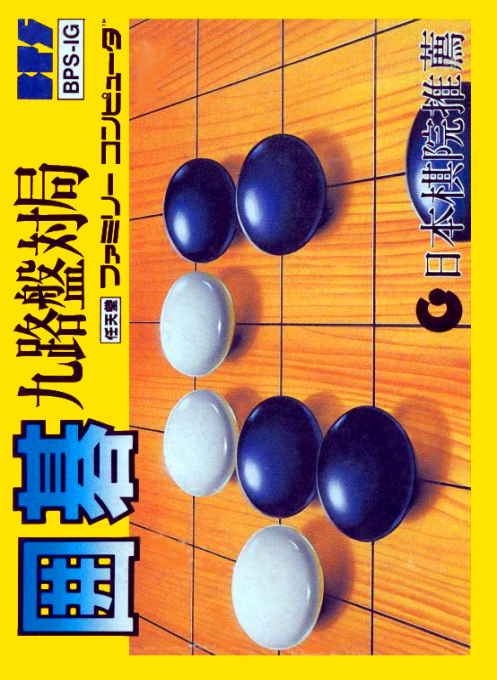
``Go Kujiban Game'' is a Go software for the Famicom where you compete for position on a small Go board with nine lines each. There is a one-player game against a computer opponent, and a two-player game where players take turns playing with two controllers. The level selection before the start is not a simple CPU strength setting, but a mechanism that changes the conditions of the first and second places and stones, so beginners can practice from the conditions of obtaining the help of five black stones. Block your opponent's breathing point and take the stones, then connect your own stones to secure the ground. On the board, there is a familiar production of ninjas handling stones, and in beginner mode you can check their sphere of influence and life and death. There is also a LESSON where you can learn the rules and a REPLAY where you can look back on recorded matches, which can be used not only to learn the wins and losses, but also to remember how to play.
Cheats
No cheats have been added for this edition.
Player verification and sources
Browser play was reviewed before this edition was published in the catalogue. The date below is the catalogue publication date, not the game’s original release date.
- Browser test and catalogue publication date
- Browsers and devices
- PC: Chrome, Edge and Firefox. Mobile: Chrome on Android and Safari on iPhone and iPad.
- Player engine and core
- EmulatorJS 4.3.0-pre · nes
- Tested by
- rwEmulator
Sources and editorial basis
rwEmulator reviews edition metadata, release information, game manuals and first-hand browser-play notes. Available manuals are linked below; the editorial policy explains how facts are checked and corrections are handled.