More browsing paths
Play Igo Shinan '94 (Japan edition · Japanese) Online
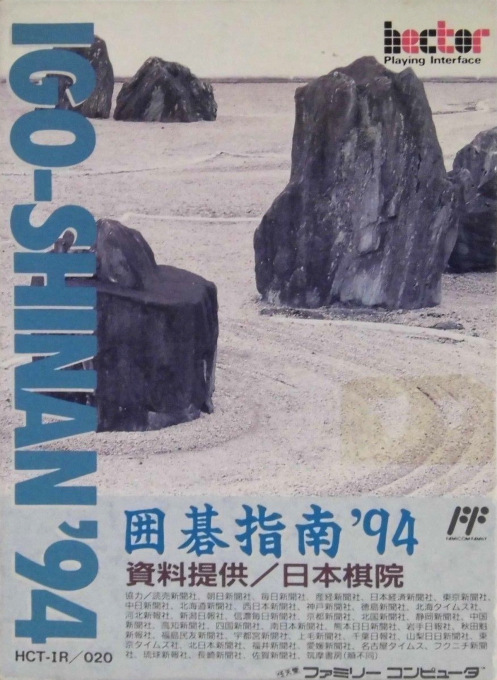
Igo Shinan '94
Play Go Guide '94 online. Watch the 1992 title match and the classic 119 games, and deepen your understanding by judging your shogi skills and thinking about your next move.
Browser play
Nintendo Entertainment System (NES) / Famicom — EmulatorJS controls
Default Player 1 keyboard mapping. Change keys in Controller Settings.
| Console button | Keyboard |
|---|---|
| ↑ / ↓ / ← / → | ↑ / ↓ / ← / → |
| A / B | Z / X |
| START / SELECT | Enter / V |
Open Controller Settings to configure your keyboard or gamepad. Touch controls are available on mobile.
How to Play Igo Shinan '94
Quick start
From the title, press START, select "Watching 2" from the top and bottom, and press A. Select the modern or classic category and the game record you want to see, then play A to reproduce each move. If you're curious about the last move, use "Go back to 1 move" on the B menu to review it. Once you get used to it, select "Judgment 1" and use the same operation to determine the game record and black/white. Think of your next move from up to 5 candidates, align them with the cross button, and answer with A.
Controls
Cross button: Move the selection cursor and starting position at the time of judgment. A: Decision/next screen, sending spectator 2 one move, suspending/resuming spectator 1. B: Cancel selection, viewing settings menu, confirm cancellation of judgment. START: Start. SELECT: Audio erase/recovery. In the Spectator B menu, select one move back, fast forward/reverse, continue, or cancel. You can only change the speed of automatic spectating, and when entering the number of moves, use up and down to select a value, left and right to select a digit, and press A to confirm.
Igo Shinan '94 — About this game
"Go Instruction '94" is a Go learning software that reproduces famous games on the board and rereads them. Contains a total of 119 games, including 38 games from the 1992 seven major title games, plus the classic game records of Dochi, Michitetsu, Inseki, and Motojo. When watching, you can choose between automatic progression and manual advance, and you can reconfirm by going back or moving to any number of moves from the settings menu. When judging shogi skill, the player predicts the actual player of Black or White and gives the answer, and the result is displayed according to the percentage of correct answers. There is an intermediate level that shows up to five candidates, and an advanced level that considers the entire board.You can use it not only to look at the game record but also to compare it with your own readings. The content is different from a free game against the CPU, and the correct answer is treated as the ``actual move made by the player.''
Cheats
No cheats have been added for this edition.
Player verification and sources
Browser play was reviewed before this edition was published in the catalogue. The date below is the catalogue publication date, not the game’s original release date.
- Browser test and catalogue publication date
- Browsers and devices
- PC: Chrome, Edge and Firefox. Mobile: Chrome on Android and Safari on iPhone and iPad.
- Player engine and core
- EmulatorJS 4.3.0-pre · nes
- Tested by
- rwEmulator
Sources and editorial basis
rwEmulator reviews edition metadata, release information, game manuals and first-hand browser-play notes. Available manuals are linked below; the editorial policy explains how facts are checked and corrections are handled.