More browsing paths
Play Illu-Logi VOW (Japan edition · Japanese) Online
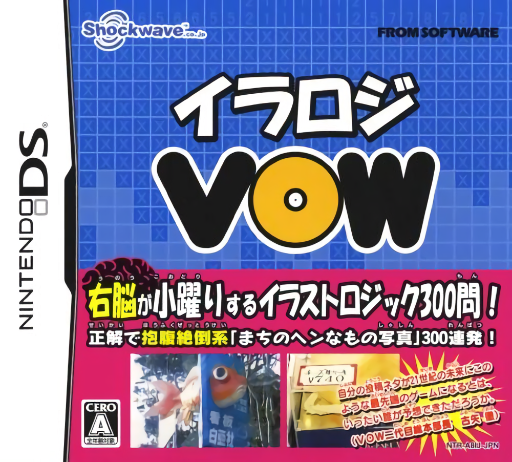
Illu-Logi VOW
Play Illu-Logi VOW online. Solve number-clue picture grids to reveal a VOW photo and its comic comment. See the Nintendo DS starting guide and controls.
Browser play
Nintendo DS (NDS) — EmulatorJS controls
Default Player 1 keyboard mapping. Change keys in Controller Settings.
| Console button | Keyboard |
|---|---|
| ↑ / ↓ / ← / → | ↑ / ↓ / ← / → |
| A / B / X / Y | Z / X / A / S |
| L / R | Q / E |
| START / SELECT | Enter / V |
| Microphone | Not assigned |
Open Controller Settings to configure your keyboard or gamepad. Touch controls are available on mobile.
How to Play Illu-Logi VOW
Quick start
Choose solo play and a beginner puzzle. Read a large clue, fill a certain overlap and cross out cells that cannot belong to a run.
Controls
Use the stylus and palette to fill, cross or erase; repeated taps cycle those states. Directional pad moves the cursor, A fills, B clears and X marks a cross. Use the menu for checking options.
Illu-Logi VOW — About this game
Illu-Logi VOW pairs logic-grid puzzles with photographs of odd signs, misprints and other everyday absurdities. Read row and column numbers as ordered runs, fill only confirmed squares and mark impossible cells with crosses. Completing a puzzle reveals its VOW reward rather than requiring you to recognize the final picture in advance. Begin with the beginner set and use intersections between rows and columns. Guide and automatic checking can support the process; undo lets you revisit a mistaken decision.
Illu-Logi VOW Game manuals
Cheats
No cheats have been added for this edition.
Player verification and sources
Browser play was reviewed before this edition was published in the catalogue. The date below is the catalogue publication date, not the game’s original release date.
- Browser test and catalogue publication date
- Browsers and devices
- PC: Chrome, Edge and Firefox. Mobile: Chrome on Android and Safari on iPhone and iPad.
- Player engine and core
- EmulatorJS 4.3.0-pre · nds
- Tested by
- rwEmulator
Sources and editorial basis
rwEmulator reviews edition metadata, release information, game manuals and first-hand browser-play notes. Available manuals are linked below; the editorial policy explains how facts are checked and corrections are handled.