More browsing paths
Play Intellivision Lives! (US edition) Online
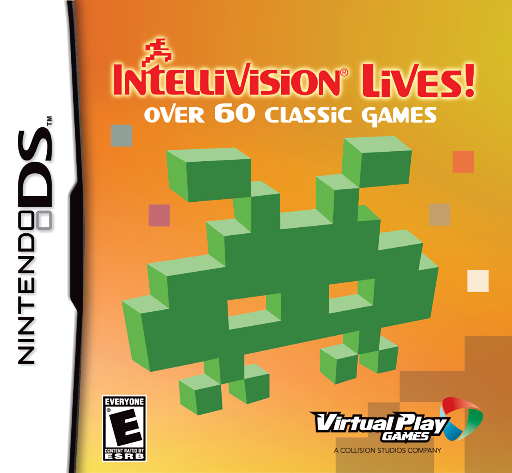
Intellivision Lives!
Play Intellivision Lives! online. Choose classic Intellivision games and use a touch-screen keypad overlay tailored to each title. See the Nintendo DS starting guide and controls.
Browser play
Nintendo DS (NDS) — EmulatorJS controls
Default Player 1 keyboard mapping. Change keys in Controller Settings.
| Console button | Keyboard |
|---|---|
| ↑ / ↓ / ← / → | ↑ / ↓ / ← / → |
| A / B / X / Y | Z / X / A / S |
| L / R | Q / E |
| START / SELECT | Enter / V |
| Microphone | Not assigned |
Open Controller Settings to configure your keyboard or gamepad. Touch controls are available on mobile.
How to Play Intellivision Lives!
Quick start
Browse a category, select a game and open its instructions. Choose the starting options and test the keypad with a short session before moving to another title.
Controls
Use directional and action buttons as the selected game instructs, and tap the lower-screen keypad overlay for its labeled commands. Read that game's help for starting, difficulty, tools and special actions.
Intellivision Lives! — About this game
Intellivision Lives! brings a broad collection of early console games to DS, from Astro Smash and Snafu to Bomb Squad and sports. The important change is the lower-screen keypad: each game displays an overlay so its numbered commands have visible meanings while the buttons handle movement and actions. Begin with a short arcade game, read its instructions and identify the start, skill and action choices before playing. A strategy or code-solving game may require different keypad tools, so consult its own overlay instead of assuming every title uses one universal control scheme.
Intellivision Lives! Game manuals
Cheats
No cheats have been added for this edition.
Player verification and sources
Browser play was reviewed before this edition was published in the catalogue. The date below is the catalogue publication date, not the game’s original release date.
- Browser test and catalogue publication date
- Browsers and devices
- PC: Chrome, Edge and Firefox. Mobile: Chrome on Android and Safari on iPhone and iPad.
- Player engine and core
- EmulatorJS 4.3.0-pre · nds
- Tested by
- rwEmulator
Sources and editorial basis
rwEmulator reviews edition metadata, release information, game manuals and first-hand browser-play notes. Available manuals are linked below; the editorial policy explains how facts are checked and corrections are handled.