More browsing paths
Play Invader (Europe edition · English) Online
Invader
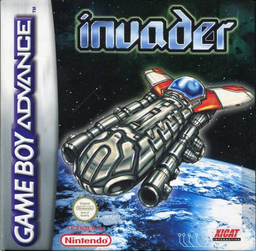
Play Invader online on GBA. Choose one of two ships, clear eight scrolling stages and bosses, collect coins, buy upgrades, and try Arcade, Survival or Boss Attack.
Browser play
Game Boy Advance (GBA) — EmulatorJS controls
Default Player 1 keyboard mapping. Change keys in Controller Settings.
| Console button | Keyboard |
|---|---|
| ↑ / ↓ / ← / → | ↑ / ↓ / ← / → |
| A / B | Z / X |
| L / R | Q / E |
| START / SELECT | Enter / V |
Open Controller Settings to configure your keyboard or gamepad. Touch controls are available on mobile.
How to Play Invader
Quick start
Choose 1PL ARCADE on the title menu, select one of the two ships and begin the first of eight stages. Keep moving, use the main shot on airborne enemies, and use the separate ground attack on targets below. Collect the coins left by enemies; press START and enter Shop when you have enough for speed, bombs, weapon power, lives or credits. The first boss has five destructible sections, so clear its smaller guns while dodging and then finish the centre. New players can favour the versatile dragon weapon and upgrade it early.
Controls
D-pad: move the ship and navigate menus. A: fire the anti-air weapon. B: attack ground targets. L: use a bomb. R: switch weapon. START: pause and open Continue, Shop, Join PL2 or Quit. In menus, use the D-pad to choose and A to confirm; B backs out. The Options menu sets difficulty, lives, credits, music/SFX and controls.
Invader Game manuals
Cheats
No cheats have been added for this edition.
Player verification and sources
Browser play was reviewed before this edition was published in the catalogue. The date below is the catalogue publication date, not the game’s original release date.
- Browser test and catalogue publication date
- Browsers and devices
- PC: Chrome, Edge and Firefox. Mobile: Chrome on Android and Safari on iPhone and iPad.
- Player engine and core
- EmulatorJS 4.3.0-pre · gba
- Tested by
- rwEmulator
Sources and editorial basis
rwEmulator reviews edition metadata, release information, game manuals and first-hand browser-play notes. Available manuals are linked below; the editorial policy explains how facts are checked and corrections are handled.