More browsing paths
Play Iridion II (US edition · English) Online
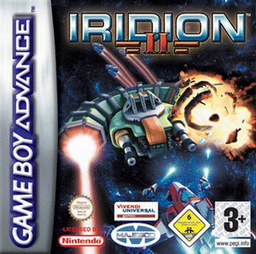
Iridion II
Play Iridion II online and tackle GBA shoot-’em-up planets with selectable weapons, charged radial shots, upgrade items, movable satellites and limited Smart-Bombs.
Browser play
Game Boy Advance (GBA) — EmulatorJS controls
Default Player 1 keyboard mapping. Change keys in Controller Settings.
| Console button | Keyboard |
|---|---|
| ↑ / ↓ / ← / → | ↑ / ↓ / ← / → |
| A / B | Z / X |
| L / R | Q / E |
| START / SELECT | Enter / V |
Open Controller Settings to configure your keyboard or gamepad. Touch controls are available on mobile.
How to Play Iridion II
Quick start
Press START, choose New Game, keep Starter Pilot difficulty for a first run and select Story Mode. Pick one of the initially available planets, then choose a starting weapon with Auto Upgrade enabled. Clear the stage by surviving enemy waves and defeating its boss; collect power-ups to strengthen the weapon, conserve the starting Smart-Bomb for a dense wave, and note the Story Mode password shown on the pause or stage-clear screens.
Controls
Move the spacecraft with the Control Pad. A fires the current weapon; press it twice and hold to charge the radial super shot, then release to fire. B activates a collected upgrade. L and R cycle weapons, while pressing L+R together releases a Smart-Bomb. SELECT locks or unlocks the satellites to their current position. START pauses and opens the pause menu.
Iridion II Game manuals
Cheats
No cheats have been added for this edition.
Player verification and sources
Browser play was reviewed before this edition was published in the catalogue. The date below is the catalogue publication date, not the game’s original release date.
- Browser test and catalogue publication date
- Browsers and devices
- PC: Chrome, Edge and Firefox. Mobile: Chrome on Android and Safari on iPhone and iPad.
- Player engine and core
- EmulatorJS 4.3.0-pre · gba
- Tested by
- rwEmulator
Sources and editorial basis
rwEmulator reviews edition metadata, release information, game manuals and first-hand browser-play notes. Available manuals are linked below; the editorial policy explains how facts are checked and corrections are handled.