More browsing paths
Play Jangō (Japan edition · Japanese) Online
Jangō
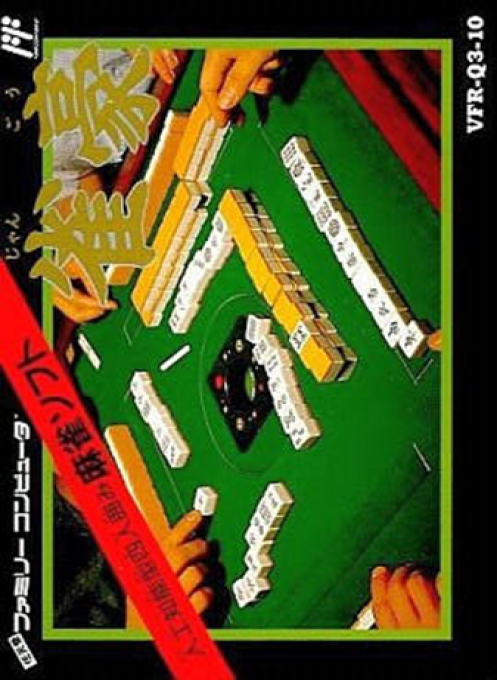
Play Mahjong online. Select three opponents, play four-person mahjong, and review your role and results. There is also an open mode where you can see everyone's tiles.
Browser play
Nintendo Entertainment System (NES) / Famicom — EmulatorJS controls
Default Player 1 keyboard mapping. Change keys in Controller Settings.
| Console button | Keyboard |
|---|---|
| ↑ / ↓ / ← / → | ↑ / ↓ / ← / → |
| A / B | Z / X |
| START / SELECT | Enter / V |
Open Controller Settings to configure your keyboard or gamepad. Touch controls are available on mobile.
How to Play Jangō
Quick start
START when the title music starts playing. To set the date, move the year, month, and day items on the right, change the numbers on the top and bottom, and press A to confirm. For the first time, enter your name within 5 characters from "Touroku" and select "End". Next, set a 4-digit PIN, confirm it, and register. Select yourself with "Kaishi" and enter your PIN number, then select 3 opponents and start with A. Move the cursor of the tiles in your hand to the left or right and confirm the tile you want to discard with A.
Controls
Cross button: Menu selection. During the game, select a discard tile with left and right, and discard with A. Confirmation of Pong Chi Kang and settlement is executed with A, and sent off with B. If there are multiple combinations of Chi, switch on the right. If you are full on your turn, choose reach with B, decide the discard tiles with left and right, and play A. SELECT displays the number of games, remaining tiles, dora, etc., and again displays the score of each house. START begins with the title. After Hansho, advance the grade with A and select YES/NO of CONTINUE with Direction + A.
Jangō — About this game
``Mahjong'' is a mahjong software where you register your name as a player, select three opponents, and play at a four-person table. "Jan 1" to "Jan 5" with different personalities are prepared from the beginning, and up to 20 players can be registered. You can check your own and your opponent's winning hand, reach, cry, etc. records in "Personal" and look back on your batting habits. There is also a function to view Hansho's score and Yakuman's record, so it is not just about finishing a game, but also accumulating results. In the open mode, where everyone's tiles are shown, you can check the movement of the tiles while playing, but the game results are not recorded. The original cassette has a backup function, and to keep a record, you need to proceed to "End" in the menu after half a movie.
Cheats
No cheats have been added for this edition.
Player verification and sources
Browser play was reviewed before this edition was published in the catalogue. The date below is the catalogue publication date, not the game’s original release date.
- Browser test and catalogue publication date
- Browsers and devices
- PC: Chrome, Edge and Firefox. Mobile: Chrome on Android and Safari on iPhone and iPad.
- Player engine and core
- EmulatorJS 4.3.0-pre · nes
- Tested by
- rwEmulator
Sources and editorial basis
rwEmulator reviews edition metadata, release information, game manuals and first-hand browser-play notes. Available manuals are linked below; the editorial policy explains how facts are checked and corrections are handled.