More browsing paths
Play Jazz Jackrabbit (US edition · English) Online
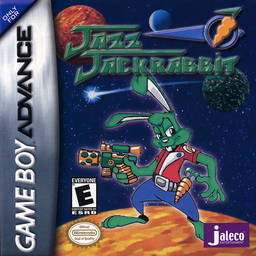
Jazz Jackrabbit
Play Jazz Jackrabbit online and run, shoot and glide through GBA platform missions with multiple weapons, diagonal aiming, carrot grenades and guarded exit gates.
Browser play
Game Boy Advance (GBA) — EmulatorJS controls
Default Player 1 keyboard mapping. Change keys in Controller Settings.
| Console button | Keyboard |
|---|---|
| ↑ / ↓ / ← / → | ↑ / ↓ / ← / → |
| A / B | Z / X |
| L / R | Q / E |
| START / SELECT | Enter / V |
Open Controller Settings to configure your keyboard or gamepad. Touch controls are available on mobile.
How to Play Jazz Jackrabbit
Quick start
Start a new game and begin Mission 1, Chameleon World Level 1: Escape. Walk past the sleeping Chameleon, collect the Blaster, defeat the first enemies and continue upward. Practise diagonal shooting when prompted, collect the Carrot Grenade, then use Jazz’s glide to cross the large gaps and reach the Carrot Gate. Keep the infinite-ammo Blaster ready rather than spending limited weapon ammunition on every weak enemy.
Controls
The Control Pad moves Jazz, aims the gun and moves the menu cursor. A shoots or confirms a menu item, B jumps or returns from a menu, and pressing B again in the air glides for about three seconds. SELECT opens the weapon bar, R quickly changes weapon, L throws a Carrot Grenade and START pauses. Combine Up or Down with Left/Right and A to shoot diagonally; Down+A while airborne fires downward.
Cheats
No cheats have been added for this edition.
Player verification and sources
Browser play was reviewed before this edition was published in the catalogue. The date below is the catalogue publication date, not the game’s original release date.
- Browser test and catalogue publication date
- Browsers and devices
- PC: Chrome, Edge and Firefox. Mobile: Chrome on Android and Safari on iPhone and iPad.
- Player engine and core
- EmulatorJS 4.3.0-pre · gba
- Tested by
- rwEmulator
Sources and editorial basis
rwEmulator reviews edition metadata, release information, game manuals and first-hand browser-play notes. Available manuals are linked below; the editorial policy explains how facts are checked and corrections are handled.