More browsing paths
Play Jewel Link - Safari Quest (Europe edition · English) Online
Jewel Link - Safari Quest
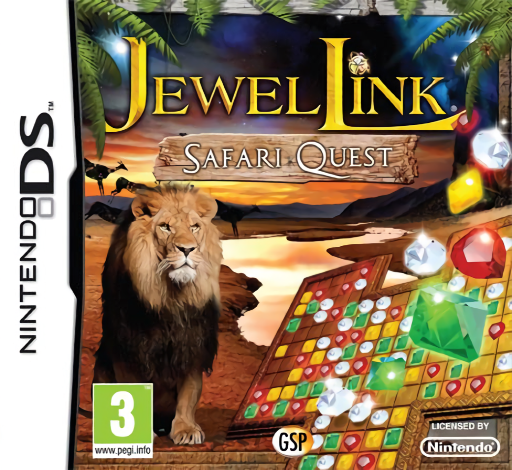
Play Jewel Link - Safari Quest online. Track the rare White Lion with Jane and animal guides through African match-three puzzles.
Browser play
Nintendo DS (NDS) — EmulatorJS controls
Default Player 1 keyboard mapping. Change keys in Controller Settings.
| Console button | Keyboard |
|---|---|
| ↑ / ↓ / ← / → | ↑ / ↓ / ← / → |
| A / B / X / Y | Z / X / A / S |
| L / R | Q / E |
| START / SELECT | Enter / V |
| Microphone | Not assigned |
Open Controller Settings to configure your keyboard or gamepad. Touch controls are available on mobile.
How to Play Jewel Link - Safari Quest
Quick start
Open the first puzzle and read its remaining target. Make one controlled match and let the board settle. Compare Swap, Chain and Group only after learning their gestures, then choose the method that reaches a blocked corner or useful helper item most effectively.
Controls
Use the stylus for the selected matching style: swap adjacent symbols, draw a chain through connected identical symbols, or tap an already connected group of at least three. Check the mode indicator before touching a tricky cluster. Activate an available helper only through its displayed control and read its effect first.
Jewel Link - Safari Quest — About this game
Safari Quest sends biology graduate Jane to Africa to find a rare White Lion with four animal guides. The journey proceeds through matching puzzles, not a ranger's driving simulation. Swap adjacent symbols, draw chains or tap connected groups according to the current mode, using the board's remaining target to decide where the next match belongs. The animal companions and changing arrangements give the search its story context. Begin with the early board, learn each gesture separately and inspect the new fall before changing style. Choose a helpful route through the layout rather than treating every possible match as equally useful. Begin with the opening instructions and practice the main interaction before pursuing optional rewards. Read the current objective, make one deliberate choice and watch its effect before repeating it. A short first session makes it easier to separate a missed instruction from a difficult challenge. Return to the available menu when you need to check progress or adjust your approach, then continue from the next clear objective.
Jewel Link - Safari Quest Game manuals
Cheats
No cheats have been added for this edition.
Player verification and sources
Browser play was reviewed before this edition was published in the catalogue. The date below is the catalogue publication date, not the game’s original release date.
- Browser test and catalogue publication date
- Browsers and devices
- PC: Chrome, Edge and Firefox. Mobile: Chrome on Android and Safari on iPhone and iPad.
- Player engine and core
- EmulatorJS 4.3.0-pre · nds
- Tested by
- rwEmulator
Sources and editorial basis
rwEmulator reviews edition metadata, release information, game manuals and first-hand browser-play notes. Available manuals are linked below; the editorial policy explains how facts are checked and corrections are handled.