More browsing paths
Play Jewel Match (US edition · English / French) Online
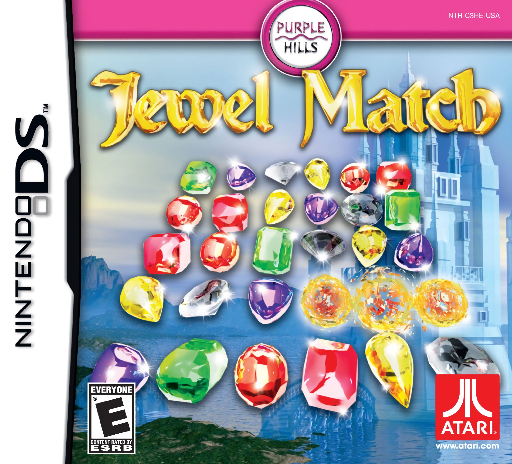
Jewel Match
Play Jewel Match online. Clear gold and silver backings with jewel swaps, a hammer and the DS microphone storm.
Browser play
Nintendo DS (NDS) — EmulatorJS controls
Default Player 1 keyboard mapping. Change keys in Controller Settings.
| Console button | Keyboard |
|---|---|
| ↑ / ↓ / ← / → | ↑ / ↓ / ← / → |
| A / B / X / Y | Z / X / A / S |
| L / R | Q / E |
| START / SELECT | Enter / V |
| Microphone | Not assigned |
Open Controller Settings to configure your keyboard or gamepad. Touch controls are available on mobile.
How to Play Jewel Match
Quick start
Choose an early board in the desired pace mode and find the gold and silver squares. Make a match over one backing and watch whether it needs another hit. Learn the hammer or microphone shuffle when offered, then clear the remaining backings before advancing.
Controls
Swap adjacent jewels with the DS stylus to make a horizontal or vertical match of three or more. Match once over a gold backing or twice over silver as needed. Use an available hammer on a stubborn spot, and blow into the microphone only when activating the magical storm's shuffle prompt.
Jewel Match — About this game
The original DS Jewel Match focuses on clearing the board's gold and silver backings. Swap neighboring jewels to form three or more; a silver square needs an additional match before it is clear. Irregular board shapes can send replacements into unexpected paths, so inspect the fall before repeating the same swap. A hammer helps with a difficult spot, while the DS magical storm uses microphone blowing to reshuffle. Begin with a simple board and distinguish a useful backing-clearing match from one that only earns points. Relax and timed play offer different pacing, and hot-seat play compares sequential attempts. Begin with the opening instructions and practice the main interaction before pursuing optional rewards. Read the current objective, make one deliberate choice and watch its effect before repeating it. A short first session makes it easier to separate a missed instruction from a difficult challenge. Return to the available menu when you need to check progress or adjust your approach, then continue from the next clear objective.
Jewel Match Game manuals
Cheats
No cheats have been added for this edition.
Player verification and sources
Browser play was reviewed before this edition was published in the catalogue. The date below is the catalogue publication date, not the game’s original release date.
- Browser test and catalogue publication date
- Browsers and devices
- PC: Chrome, Edge and Firefox. Mobile: Chrome on Android and Safari on iPhone and iPad.
- Player engine and core
- EmulatorJS 4.3.0-pre · nds
- Tested by
- rwEmulator
Sources and editorial basis
rwEmulator reviews edition metadata, release information, game manuals and first-hand browser-play notes. Available manuals are linked below; the editorial policy explains how facts are checked and corrections are handled.