More browsing paths
Play Jewel Quest - Mysteries (US edition) Online
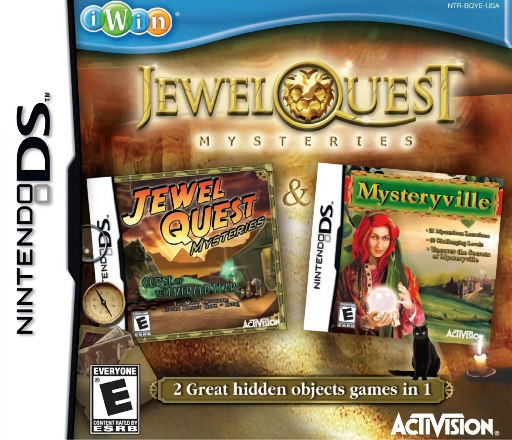
Jewel Quest - Mysteries
Play Jewel Quest - Mysteries online. Find listed objects and hidden jewels, then tackle gold-grid matching puzzles between searches.
Browser play
Nintendo DS (NDS) — EmulatorJS controls
Default Player 1 keyboard mapping. Change keys in Controller Settings.
| Console button | Keyboard |
|---|---|
| ↑ / ↓ / ← / → | ↑ / ↓ / ← / → |
| A / B / X / Y | Z / X / A / S |
| L / R | Q / E |
| START / SELECT | Enter / V |
| Microphone | Not assigned |
Open Controller Settings to configure your keyboard or gamepad. Touch controls are available on mobile.
How to Play Jewel Quest - Mysteries
Quick start
Read the first scene's object list and search one section of the picture at a time. Select an item only when its shape or context matches the clue. Finish the list, read the next wedding request and learn the first minigame before moving to another scene.
Controls
Use the DS stylus to touch objects named on the upper-screen list. Scroll with the shown direction or touch controls when the scene extends beyond view. Avoid unrelated taps that consume time; use a remaining hint only after checking the list. In jewel boards, switch to the displayed swap or placement instructions.
Jewel Quest - Mysteries — About this game
Jewel Quest Mysteries moves between hidden-object scenes and jewel puzzles. Read the active list, scan the scene and collect useful coins or jewels as well as the requested objects; careless taps can cost time. A limited hint can help with an elusive listed item, so use it deliberately. The jewel sections include matching to turn a board gold and placement tasks that use the collected gems. Begin with one scene, search by region and scroll to check edges before asking for help. Read each new jewel board's instructions rather than assuming the placement and swap tasks share the same action. Begin with the opening instructions and practice the main interaction before pursuing optional rewards. Read the current objective, make one deliberate choice and watch its effect before repeating it. A short first session makes it easier to separate a missed instruction from a difficult challenge. Return to the available menu when you need to check progress or adjust your approach, then continue from the next clear objective.
Jewel Quest - Mysteries Game manuals
Cheats
No cheats have been added for this edition.
Player verification and sources
Browser play was reviewed before this edition was published in the catalogue. The date below is the catalogue publication date, not the game’s original release date.
- Browser test and catalogue publication date
- Browsers and devices
- PC: Chrome, Edge and Firefox. Mobile: Chrome on Android and Safari on iPhone and iPad.
- Player engine and core
- EmulatorJS 4.3.0-pre · nds
- Tested by
- rwEmulator
Sources and editorial basis
rwEmulator reviews edition metadata, release information, game manuals and first-hand browser-play notes. Available manuals are linked below; the editorial policy explains how facts are checked and corrections are handled.