More browsing paths
Play Jojo's Fashion Show - Design in a Dash! (US edition · English / French / Spanish) Online
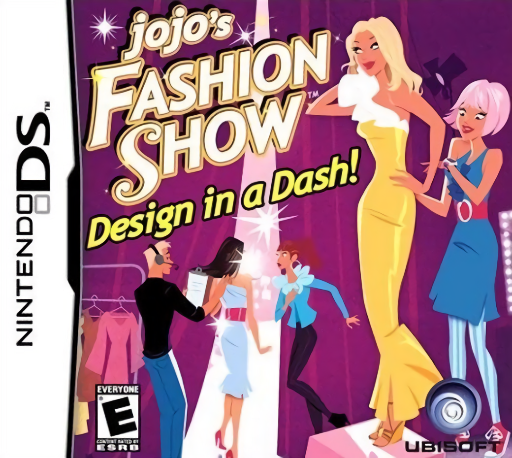
Jojo's Fashion Show - Design in a Dash!
Play Jojo's Fashion Show - Design in a Dash! online. Dress models to runway themes against the clock and unlock a larger wardrobe.
Browser play
Nintendo DS (NDS) — EmulatorJS controls
Default Player 1 keyboard mapping. Change keys in Controller Settings.
| Console button | Keyboard |
|---|---|
| ↑ / ↓ / ← / → | ↑ / ↓ / ← / → |
| A / B / X / Y | Z / X / A / S |
| L / R | Q / E |
| START / SELECT | Enter / V |
| Microphone | Not assigned |
Open Controller Settings to configure your keyboard or gamepad. Touch controls are available on mobile.
How to Play Jojo's Fashion Show - Design in a Dash!
Quick start
Start the first runway show and read each model's requested style. Select a matching outfit from the current rack and send the model out before time expires. Review the score to see whether the combination met the theme, then use unlocked clothes in the next show.
Controls
Use the DS stylus to select clothing and dress the models through the touch interface. Check the style request before replacing a garment. Use the available send or confirmation control once the outfit is ready, and watch both the timer and the next model instead of dressing by color alone.
Jojo's Fashion Show - Design in a Dash! — About this game
Design in a Dash turns Jojo's comeback to the runway into a timed outfit-matching game on DS. Choose garments from the current collection to suit the style each model requests, complete a coherent look and send it out while the show clock keeps moving. Successful shows unlock more clothing and accessories, broadening the combinations you can assemble. Begin by reading the first model's theme and comparing the available pieces before committing to an outfit. Review the result rather than assuming a favorite color is enough. The challenge is managing several dressing decisions quickly, not running a boutique's retail budget or freely drawing every garment. Begin with the opening instructions and practice the main interaction before pursuing optional rewards. Read the current objective, make one deliberate choice and watch its effect before repeating it. A short first session makes it easier to separate a missed instruction from a difficult challenge. Return to the available menu when you need to check progress or adjust your approach, then continue from the next clear objective.
Jojo's Fashion Show - Design in a Dash! Game manuals
Cheats
No cheats have been added for this edition.
Player verification and sources
Browser play was reviewed before this edition was published in the catalogue. The date below is the catalogue publication date, not the game’s original release date.
- Browser test and catalogue publication date
- Browsers and devices
- PC: Chrome, Edge and Firefox. Mobile: Chrome on Android and Safari on iPhone and iPad.
- Player engine and core
- EmulatorJS 4.3.0-pre · nds
- Tested by
- rwEmulator
Sources and editorial basis
rwEmulator reviews edition metadata, release information, game manuals and first-hand browser-play notes. Available manuals are linked below; the editorial policy explains how facts are checked and corrections are handled.