More browsing paths
Play Jumble Madness (US edition · English) Online
Jumble Madness
Play Jumble Madness online. Unscramble English words, collect marked letters and solve cartoon punchlines.
Browser play
Nintendo DS (NDS) — EmulatorJS controls
Default Player 1 keyboard mapping. Change keys in Controller Settings.
| Console button | Keyboard |
|---|---|
| ↑ / ↓ / ← / → | ↑ / ↓ / ← / → |
| A / B / X / Y | Z / X / A / S |
| L / R | Q / E |
| START / SELECT | Enter / V |
| Microphone | Not assigned |
Open Controller Settings to configure your keyboard or gamepad. Touch controls are available on mobile.
How to Play Jumble Madness
Quick start
Choose a Classic Jumble and solve one short anagram first. Enter the word, keep the marked letters and repeat for the remaining words. Read the cartoon and caption, then rearrange the collected letters into its final answer; try Crossword mode after learning the basic sequence.
Controls
Use the stylus and the current puzzle's letter-entry controls to form the answer. In Jumble Crossword, write a clear letter in the offered handwriting area and check what was recognized before confirming. Select another clue or correct an entry through the displayed controls; keep marked letters for the final cartoon solution.
Jumble Madness — About this game
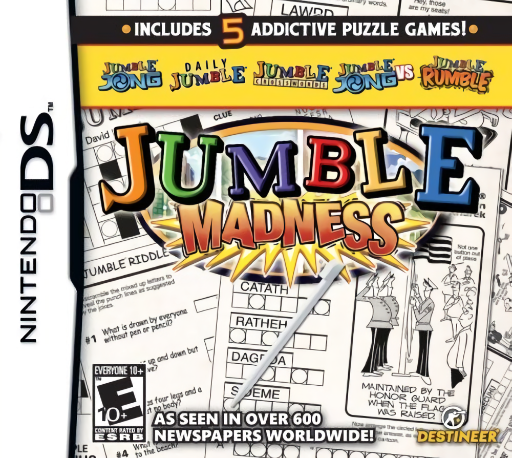
Jumble Madness adapts the newspaper's English anagram puzzles to DS. Solve scrambled words, retain their marked letters and rearrange those into an answer suggested by a cartoon and caption. Jumble Crossword adds clue-driven word entries and handwriting input, while a separate story mode gives the puzzle play a journey framework. Begin with Classic and solve one small word before looking at the final letter pool. The cartoon often points to a pun, so reread its wording after the individual words are complete. In Crossword, verify a handwritten letter before moving away from it. Familiarity with English wordplay helps interpret the original puzzle content. Begin with the opening instructions and practice the main interaction before pursuing optional rewards. Read the current objective, make one deliberate choice and watch its effect before repeating it. A short first session makes it easier to separate a missed instruction from a difficult challenge. Return to the available menu when you need to check progress or adjust your approach, then continue from the next clear objective.
Jumble Madness Game manuals
Cheats
No cheats have been added for this edition.
Player verification and sources
Browser play was reviewed before this edition was published in the catalogue. The date below is the catalogue publication date, not the game’s original release date.
- Browser test and catalogue publication date
- Browsers and devices
- PC: Chrome, Edge and Firefox. Mobile: Chrome on Android and Safari on iPhone and iPad.
- Player engine and core
- EmulatorJS 4.3.0-pre · nds
- Tested by
- rwEmulator
Sources and editorial basis
rwEmulator reviews edition metadata, release information, game manuals and first-hand browser-play notes. Available manuals are linked below; the editorial policy explains how facts are checked and corrections are handled.