More browsing paths
Play JumpStart Dino Adventure - Field Trip (US edition · English) Online
JumpStart Dino Adventure - Field Trip
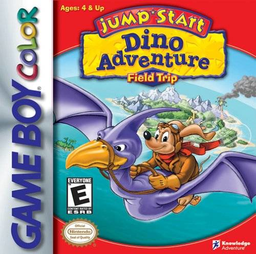
Play JumpStart Dino Adventure - Field Trip online on Game Boy Color. Help Frankie recover lost pterosaur eggs in JumpStart Dino Adventure: Field Trip. Dinosaur-themed activities mix letter ordering, number matching and memory as the adventure moves through its prehistoric setting.
Browser play
Game Boy Color (GBC) — EmulatorJS controls
Default Player 1 keyboard mapping. Change keys in Controller Settings.
| Console button | Keyboard |
|---|---|
| ↑ / ↓ / ← / → | ↑ / ↓ / ← / → |
| A / B | Z / X |
| START / SELECT | Enter / V |
Open Controller Settings to configure your keyboard or gamepad. Touch controls are available on mobile.
How to Play JumpStart Dino Adventure - Field Trip
Quick start
Start the trip, follow the first activity's instructions and compare its target with the choices on screen. Complete a short attempt before moving to another task.
Controls
D-pad selects or moves within each activity; use its displayed action button to answer or interact. Read the matching, ordering or aiming instruction each time rather than assuming one control rule for every game.
JumpStart Dino Adventure - Field Trip — About this game
Read the model shown in each activity before acting. Dino Bop asks for a matching hat, while Brain-O-Saur turns over tiles to find matching letters. Change your approach when the activity changes: a remembered position is useful for one task, alphabetical order for another.
Cheats
No cheats have been added for this edition.
Player verification and sources
Browser play was reviewed before this edition was published in the catalogue. The date below is the catalogue publication date, not the game’s original release date.
- Browser test and catalogue publication date
- Browsers and devices
- PC: Chrome, Edge and Firefox. Mobile: Chrome on Android and Safari on iPhone and iPad.
- Player engine and core
- EmulatorJS 4.3.0-pre · gb
- Tested by
- rwEmulator
Sources and editorial basis
rwEmulator reviews edition metadata, release information, game manuals and first-hand browser-play notes. Available manuals are linked below; the editorial policy explains how facts are checked and corrections are handled.