More browsing paths
Play JumpStart - Legend of Lost Island (US edition · English) Online
JumpStart - Legend of Lost Island
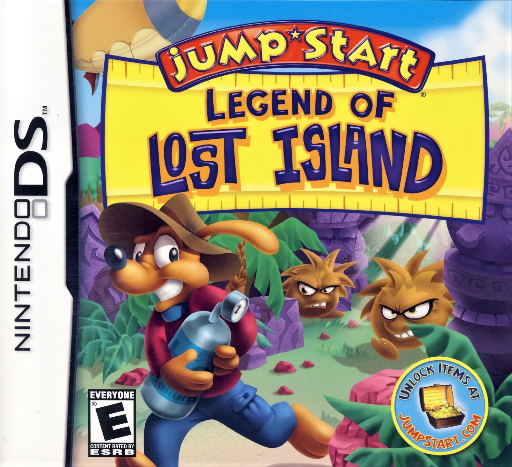
Play JumpStart - Legend of Lost Island online. Search a mysterious island with Frankie and earn helium tanks to repair the crashed blimp.
Browser play
Nintendo DS (NDS) — EmulatorJS controls
Default Player 1 keyboard mapping. Change keys in Controller Settings.
| Console button | Keyboard |
|---|---|
| ↑ / ↓ / ← / → | ↑ / ↓ / ← / → |
| A / B / X / Y | Z / X / A / S |
| L / R | Q / E |
| START / SELECT | Enter / V |
| Microphone | Not assigned |
Open Controller Settings to configure your keyboard or gamepad. Touch controls are available on mobile.
How to Play JumpStart - Legend of Lost Island
Quick start
Start the adventure and read your stranded vehicle's repair objective. Learn a short movement route near the starting area, collect an accessible tank and open the first available activity. Complete its own puzzle rule, check the reward and return to exploration with the next clear goal.
Controls
Use the DS movement controls shown at the start to travel, jump or navigate the current environment. Touch activity icons and follow each puzzle's own selection or dragging prompts. Check the reward and objective display after completing a task; exploration movement and learning activities do not necessarily use the same input.
JumpStart - Legend of Lost Island — About this game
Legend of Lost Island strands the player and Frankie after a blimp crash. Its 3D island offers strange creatures, hidden treasures and activities that award points while you search for helium tanks to restore the vehicle. Exploration and puzzle challenges connect the repair goal to smaller tasks rather than a simple sequence of reference pages. Begin at the crash area, identify the next objective and learn a short safe route before searching out a tank. When you enter an activity, read its separate rule and check the reward before returning to the island. Keep the helium repair objective in view as more places become familiar. Begin with the opening instructions and practice the main interaction before pursuing optional rewards. Read the current objective, make one deliberate choice and watch its effect before repeating it. A short first session makes it easier to separate a missed instruction from a difficult challenge. Return to the available menu when you need to check progress or adjust your approach, then continue from the next clear objective.
JumpStart - Legend of Lost Island Game manuals
Cheats
No cheats have been added for this edition.
Player verification and sources
Browser play was reviewed before this edition was published in the catalogue. The date below is the catalogue publication date, not the game’s original release date.
- Browser test and catalogue publication date
- Browsers and devices
- PC: Chrome, Edge and Firefox. Mobile: Chrome on Android and Safari on iPhone and iPad.
- Player engine and core
- EmulatorJS 4.3.0-pre · nds
- Tested by
- rwEmulator
Sources and editorial basis
rwEmulator reviews edition metadata, release information, game manuals and first-hand browser-play notes. Available manuals are linked below; the editorial policy explains how facts are checked and corrections are handled.