More browsing paths
Play Jungle School (Europe edition · English / French / German / Spanish / Italian / Dutch) Online
Jungle School
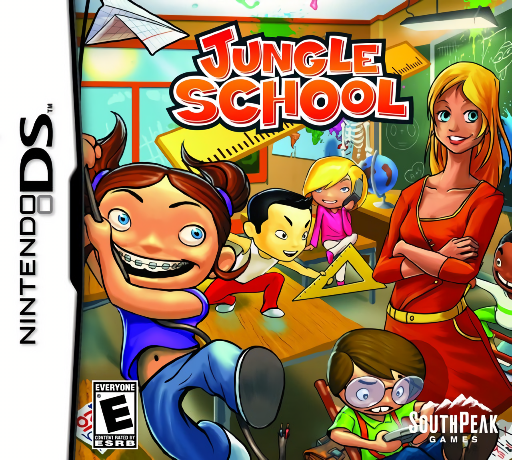
Play Jungle School online. Manage a chaotic classroom through comic touch challenges for attention and schoolwork.
Browser play
Nintendo DS (NDS) — EmulatorJS controls
Default Player 1 keyboard mapping. Change keys in Controller Settings.
| Console button | Keyboard |
|---|---|
| ↑ / ↓ / ← / → | ↑ / ↓ / ← / → |
| A / B / X / Y | Z / X / A / S |
| L / R | Q / E |
| START / SELECT | Enter / V |
| Microphone | Not assigned |
Open Controller Settings to configure your keyboard or gamepad. Touch controls are available on mobile.
How to Play Jungle School
Quick start
Start the first classroom activity and read what behavior or task it targets. Practise one short attempt, such as clearing distraction bubbles or sorting papers, and inspect the result. Learn the next activity's gesture separately rather than assuming all lessons use the same action.
Controls
Use the DS stylus for each activity's marked targets and follow its tap, drag or repeated-motion instruction. Select only the requested thought bubbles or papers, and watch moving hazards before reaching across the screen. The classroom games use exaggerated cartoon gestures; check the current rule before acting.
Jungle School — About this game
Jungle School puts you in charge of unruly students whose grades and behavior need attention. The classroom is represented through slapstick minigames rather than a realistic lesson planner: pop unwanted thought bubbles, sort papers while projectiles interrupt and react to students who fall asleep. Begin with one activity and read its objective before trying to move faster. A correct target matters more than frantic tapping when distractions overlap. Review the outcome and learn the next task's separate gesture, since classroom attention, sorting and reaction challenges do not share a single rule. Its exaggerated cartoon teaching forms the game's theme. Begin with the opening instructions and practice the main interaction before pursuing optional rewards. Read the current objective, make one deliberate choice and watch its effect before repeating it. A short first session makes it easier to separate a missed instruction from a difficult challenge. Return to the available menu when you need to check progress or adjust your approach, then continue from the next clear objective.
Jungle School Game manuals
Cheats
No cheats have been added for this edition.
Player verification and sources
Browser play was reviewed before this edition was published in the catalogue. The date below is the catalogue publication date, not the game’s original release date.
- Browser test and catalogue publication date
- Browsers and devices
- PC: Chrome, Edge and Firefox. Mobile: Chrome on Android and Safari on iPhone and iPad.
- Player engine and core
- EmulatorJS 4.3.0-pre · nds
- Tested by
- rwEmulator
Sources and editorial basis
rwEmulator reviews edition metadata, release information, game manuals and first-hand browser-play notes. Available manuals are linked below; the editorial policy explains how facts are checked and corrections are handled.