More browsing paths
Play Junior Brain Trainer - Math Edition (US edition · English) Online
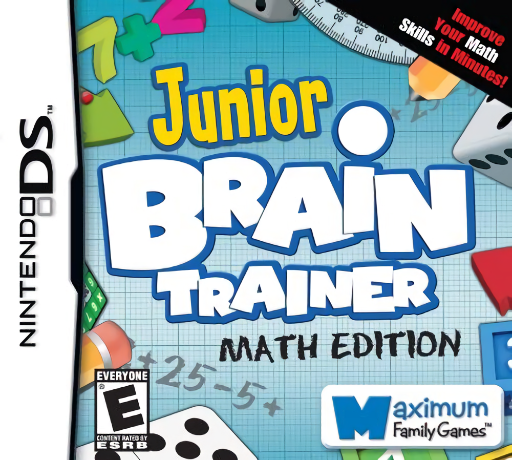
Junior Brain Trainer - Math Edition
Play Junior Brain Trainer - Math Edition online. Solve number, operation, weight and abacus puzzles to earn parts for a mathematical escape.
Browser play
Nintendo DS (NDS) — EmulatorJS controls
Default Player 1 keyboard mapping. Change keys in Controller Settings.
| Console button | Keyboard |
|---|---|
| ↑ / ↓ / ← / → | ↑ / ↓ / ← / → |
| A / B / X / Y | Z / X / A / S |
| L / R | Q / E |
| START / SELECT | Enter / V |
| Microphone | Not assigned |
Open Controller Settings to configure your keyboard or gamepad. Touch controls are available on mobile.
How to Play Junior Brain Trainer - Math Edition
Quick start
Choose the profile's difficulty carefully and begin an available maths game. Read whether it needs an operation, number, comparison or abacus value, then make one deliberate answer. Work toward the game's score target, check any plane-part reward and try the next activity once it becomes available.
Controls
Select operators or numbers with the stylus when choices are shown, and write only in a requested handwriting field. Check the recognized digit before moving on. Abacus puzzles use sliding counters, so plan the displayed value before shifting one; the game may judge an entry as soon as it is made.
Junior Brain Trainer - Math Edition — About this game
Math Edition centers its separate collection on numerical problems in a captive-mice escape frame. Fill an equation's missing sign, pick numbers that reach a target, compare animal weights or represent a value on an abacus. Scores open further games and can award parts for the escape plane, while the difficulty selected for a profile changes both the questions and target demands. Begin on a suitable setting and learn one activity's exact answer format before chasing a high score. Some entries are judged immediately, so plan a slider move before making it. Review a handwritten digit's recognition instead of assuming an incorrect answer always means incorrect arithmetic. Begin with the opening instructions and practice the main interaction before pursuing optional rewards. Read the current objective, make one deliberate choice and watch its effect before repeating it. A short first session makes it easier to separate a missed instruction from a difficult challenge. Return to the available menu when you need to check progress or adjust your approach, then continue from the next clear objective.
Junior Brain Trainer - Math Edition Game manuals
Cheats
No cheats have been added for this edition.
Player verification and sources
Browser play was reviewed before this edition was published in the catalogue. The date below is the catalogue publication date, not the game’s original release date.
- Browser test and catalogue publication date
- Browsers and devices
- PC: Chrome, Edge and Firefox. Mobile: Chrome on Android and Safari on iPhone and iPad.
- Player engine and core
- EmulatorJS 4.3.0-pre · nds
- Tested by
- rwEmulator
Sources and editorial basis
rwEmulator reviews edition metadata, release information, game manuals and first-hand browser-play notes. Available manuals are linked below; the editorial policy explains how facts are checked and corrections are handled.