More browsing paths
Play Junior Classic Games (US edition · English / French / German / Spanish / Italian) Online
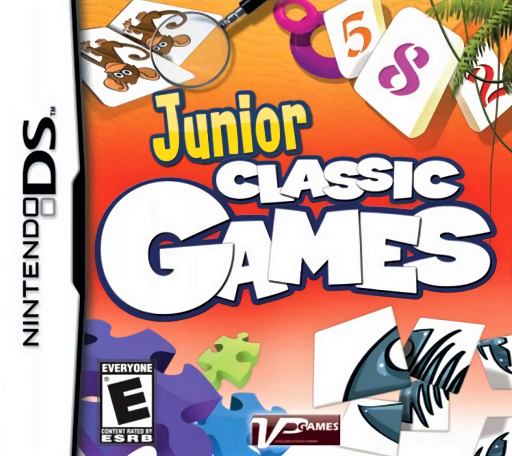
Junior Classic Games
Play Junior Classic Games online. Explore an animal-themed collection of thirty arcade, logic and puzzle games for medals.
Browser play
Nintendo DS (NDS) — EmulatorJS controls
Default Player 1 keyboard mapping. Change keys in Controller Settings.
| Console button | Keyboard |
|---|---|
| ↑ / ↓ / ← / → | ↑ / ↓ / ← / → |
| A / B / X / Y | Z / X / A / S |
| L / R | Q / E |
| START / SELECT | Enter / V |
| Microphone | Not assigned |
Open Controller Settings to configure your keyboard or gamepad. Touch controls are available on mobile.
How to Play Junior Classic Games
Quick start
Choose the first available minigame and read its short rule before starting. Complete a practice attempt to identify the target, required action and end condition. Use the result to adjust timing or accuracy, then move to another challenge instead of assuming it shares the same controls.
Controls
Select a game and difficulty with the stylus, then use its displayed touch controls. Memory tasks need careful item selection, logic tasks need a considered placement, and arcade activities may need repeated timing. Read the local rule and result panel before changing activity; no single gesture controls the entire collection.
Junior Classic Games — About this game
Junior Classic Games presents thirty short activities in an animal-world setting, with forest, beach, desert and farm scenery framing the collection. Arcade, number, memory and logic-style tasks offer different kinds of problem solving, and adjustable difficulty gives you a way to choose a manageable first attempt. Results contribute to a medal collection rather than one continuous action campaign. Begin by choosing an available activity and reading its local rule, then finish a short round before changing the difficulty. Compare whether a miss came from memory, placement or timing. The DS collection's thirty games and medal progression are its own format. Begin with the opening instructions and practice the main interaction before pursuing optional rewards. Read the current objective, make one deliberate choice and watch its effect before repeating it. A short first session makes it easier to separate a missed instruction from a difficult challenge. Return to the available menu when you need to check progress or adjust your approach, then continue from the next clear objective.
Junior Classic Games Game manuals
Cheats
No cheats have been added for this edition.
Player verification and sources
Browser play was reviewed before this edition was published in the catalogue. The date below is the catalogue publication date, not the game’s original release date.
- Browser test and catalogue publication date
- Browsers and devices
- PC: Chrome, Edge and Firefox. Mobile: Chrome on Android and Safari on iPhone and iPad.
- Player engine and core
- EmulatorJS 4.3.0-pre · nds
- Tested by
- rwEmulator
Sources and editorial basis
rwEmulator reviews edition metadata, release information, game manuals and first-hand browser-play notes. Available manuals are linked below; the editorial policy explains how facts are checked and corrections are handled.