More browsing paths
Play Kaigo Navi DS (Japan edition · Japanese) Online
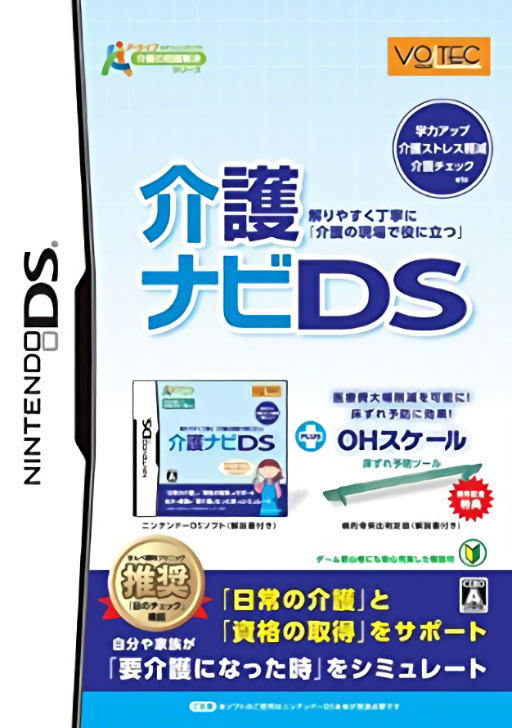
Kaigo Navi DS
Play Kaigo Navi DS online. Choose daily-care questions or qualification-style questions in the study menu and work through the software’s explanations.
Browser play
Nintendo DS (NDS) — EmulatorJS controls
Default Player 1 keyboard mapping. Change keys in Controller Settings.
| Console button | Keyboard |
|---|---|
| ↑ / ↓ / ← / → | ↑ / ↓ / ← / → |
| A / B / X / Y | Z / X / A / S |
| L / R | Q / E |
| START / SELECT | Enter / V |
| Microphone | Not assigned |
Open Controller Settings to configure your keyboard or gamepad. Touch controls are available on mobile.
How to Play Kaigo Navi DS
Quick start
Open the study section and choose a daily-care or qualification question set. Read the first prompt, submit an answer and inspect its explanation before selecting another topic.
Controls
Use the stylus to choose study categories and answer options. Follow the current question’s confirm and next prompts; use the reference links or return menu when you want to inspect a term.
Kaigo Navi DS — About this game
Choose daily-care questions or qualification-style questions in the study menu and work through the software’s explanations. These answer-based exercises sit alongside a dictionary, care-method references and separate short break-time games. Start with one question topic, check the explanation and repeat the material you missed. The different menus let you move between answering and looking up an unfamiliar term without confusing a reference page with a test.
Kaigo Navi DS Game manuals
Cheats
No cheats have been added for this edition.
Player verification and sources
Browser play was reviewed before this edition was published in the catalogue. The date below is the catalogue publication date, not the game’s original release date.
- Browser test and catalogue publication date
- Browsers and devices
- PC: Chrome, Edge and Firefox. Mobile: Chrome on Android and Safari on iPhone and iPad.
- Player engine and core
- EmulatorJS 4.3.0-pre · nds
- Tested by
- rwEmulator
Sources and editorial basis
rwEmulator reviews edition metadata, release information, game manuals and first-hand browser-play notes. Available manuals are linked below; the editorial policy explains how facts are checked and corrections are handled.