More browsing paths
Play Keep the Balance (Europe edition · English / French / German / Spanish / Italian) Online
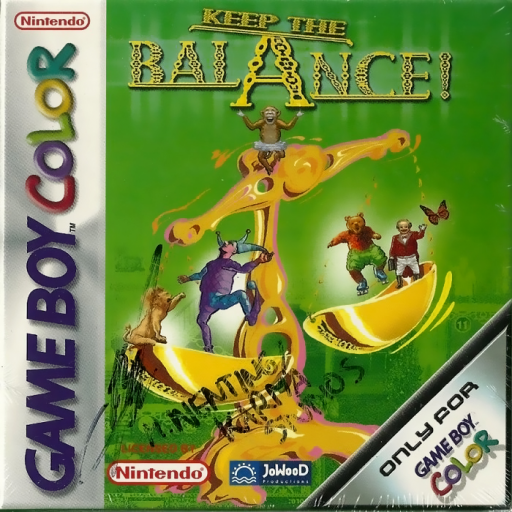
Keep the Balance
Play Keep the Balance online on GBC. Choose objects and catapult them onto a pair of scales without letting the load tip too far.
Browser play
Game Boy Color (GBC) — EmulatorJS controls
Default Player 1 keyboard mapping. Change keys in Controller Settings.
| Console button | Keyboard |
|---|---|
| ↑ / ↓ / ← / → | ↑ / ↓ / ← / → |
| A / B | Z / X |
| START / SELECT | Enter / V |
Open Controller Settings to configure your keyboard or gamepad. Touch controls are available on mobile.
How to Play Keep the Balance
Quick start
Choose an opening level, inspect the scale and launch one object before deciding on the next.
Controls
D-pad moves the selection cursor beneath an object; A catapults the selected item onto the scale. Follow the level's menu prompts to confirm or retry.
Keep the Balance — About this game
Watch which side is low before launching another object. Compare the available pieces and make one measured change, then observe the scale's response rather than firing several things without checking. Learning the effect of a light correction helps you judge later layouts where the obvious heavy choice may overcompensate.
Cheats
No cheats have been added for this edition.
Player verification and sources
Browser play was reviewed before this edition was published in the catalogue. The date below is the catalogue publication date, not the game’s original release date.
- Browser test and catalogue publication date
- Browsers and devices
- PC: Chrome, Edge and Firefox. Mobile: Chrome on Android and Safari on iPhone and iPad.
- Player engine and core
- EmulatorJS 4.3.0-pre · gb
- Tested by
- rwEmulator
Sources and editorial basis
rwEmulator reviews edition metadata, release information, game manuals and first-hand browser-play notes. Available manuals are linked below; the editorial policy explains how facts are checked and corrections are handled.