More browsing paths
Play Ki no Bouken: The Quest of Ki (Japan edition · Japanese) Online
Ki no Bouken: The Quest of Ki
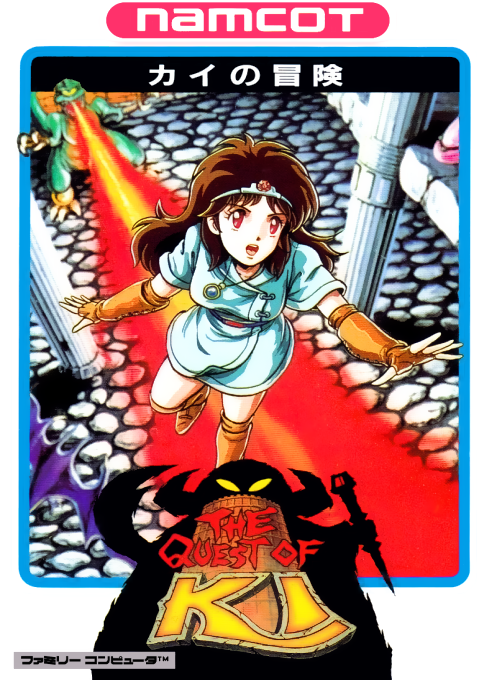
Play Famicom ``Kai's Adventure'' online. Collect keys and climb the Tower of Druaga with the magical tiara. We will also introduce how to press A, mid-air acceleration, and how to proceed in the early stages.
Browser play
Nintendo Entertainment System (NES) / Famicom — EmulatorJS controls
Default Player 1 keyboard mapping. Change keys in Controller Settings.
| Console button | Keyboard |
|---|---|
| ↑ / ↓ / ← / → | ↑ / ↓ / ← / → |
| A / B | Z / X |
| START / SELECT | Enter / V |
Open Controller Settings to configure your keyboard or gamepad. Touch controls are available on mobile.
How to Play Ki no Bouken: The Quest of Ki
Quick start
Press START, select Normal if it's your first time with SELECT, and start with START. First, press A briefly to jump low and see the difference between pressing and holding A. Use the D-pad left and right to bring it to the platform, and press B to accelerate only when necessary. Get the key and go to the exit door. It will be easier to adjust the position if you release A before it reaches the ceiling and refrain from accelerating too much until you get used to it.
Controls
D-pad left and right: Move. A: Goes up while you hold it down, and goes down when you release it. B: Accelerate left and right. You can move left and right and accelerate even in the air. You can apply the brakes using the cross key in the opposite direction of travel. SELECT: Normal/Continue mode selection. START: Game start/pause during play. You cannot operate it while falling after hitting a wall or ceiling.
Ki no Bouken: The Quest of Ki — About this game
As a story that precedes ``Tower of Druaga'', it depicts Kai's adventure in search of the stolen blue crystal rod. Take the key on each floor and enter the exit to proceed to the next floor. Instead of attacking the enemy, you avoid danger by adjusting the height of your jump and the speed of your lateral movement. You can adjust the rise or decrease by how long you press A, and the acceleration with B can be used even in the air, but if you hit a wall or ceiling, you won't be able to control it while falling. While treasure chests have tools to stop enemy movement and warp, there are also poisons and enemies that resemble treasure chests. Read Ishitar's advice, be aware of the time limit, and plan for a safe route. Rather than simply jumping high, the key to success is deciding to release A at the required height.
Cheats
No cheats have been added for this edition.
Player verification and sources
Browser play was reviewed before this edition was published in the catalogue. The date below is the catalogue publication date, not the game’s original release date.
- Browser test and catalogue publication date
- Browsers and devices
- PC: Chrome, Edge and Firefox. Mobile: Chrome on Android and Safari on iPhone and iPad.
- Player engine and core
- EmulatorJS 4.3.0-pre · nes
- Tested by
- rwEmulator
Sources and editorial basis
rwEmulator reviews edition metadata, release information, game manuals and first-hand browser-play notes. Available manuals are linked below; the editorial policy explains how facts are checked and corrections are handled.