More browsing paths
Play Kick Off (Europe edition · English) Online
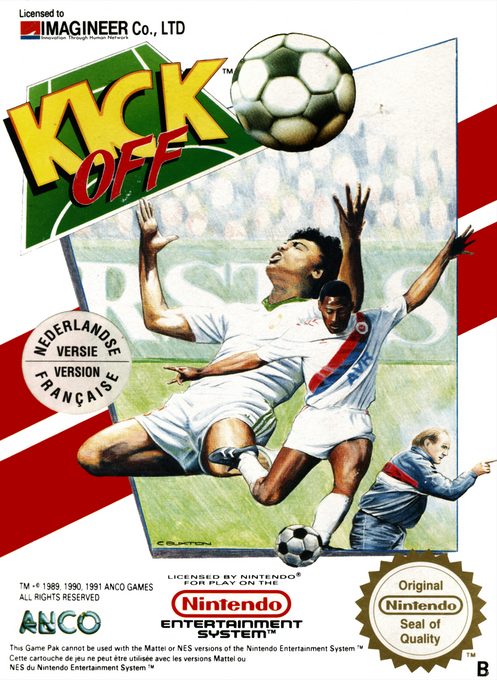
Kick Off
Play Kick Off online: fast overhead NES football with practice, adjustable match conditions and one- or two-player games.
Browser play
Nintendo Entertainment System (NES) / Famicom — EmulatorJS controls
Default Player 1 keyboard mapping. Change keys in Controller Settings.
| Console button | Keyboard |
|---|---|
| ↑ / ↓ / ← / → | ↑ / ↓ / ← / → |
| A / B | Z / X |
| START / SELECT | Enter / V |
Open Controller Settings to configure your keyboard or gamepad. Touch controls are available on mobile.
How to Play Kick Off
Quick start
Choose PRACTICE, then Skills to learn movement and shooting against the goalkeeper. Afterwards try SINGLE GAME. Pause with START, then press SELECT to leave practice.
Controls
D-pad: move. B: push the ball forwards. A: shoot or take a set piece. START: pause/resume. SELECT while paused: leave practice.
Kick Off — About this game
Kick Off on NES puts the emphasis on keeping up with a fast-moving match rather than simply running straight towards goal. Its overhead view and position display help you follow the action, while a broad set of options lets you tailor the match. There is room to practise before facing the opposition, and learning to direct a shot is part of the challenge. Play on your own or share the pitch with a second player; this is the European NES game, not the Amiga original or Super Kick Off.
Cheats
No cheats have been added for this edition.
Player verification and sources
Browser play was reviewed before this edition was published in the catalogue. The date below is the catalogue publication date, not the game’s original release date.
- Browser test and catalogue publication date
- Browsers and devices
- PC: Chrome, Edge and Firefox. Mobile: Chrome on Android and Safari on iPhone and iPad.
- Player engine and core
- EmulatorJS 4.3.0-pre · nes
- Tested by
- rwEmulator
Sources and editorial basis
rwEmulator reviews edition metadata, release information, game manuals and first-hand browser-play notes. Available manuals are linked below; the editorial policy explains how facts are checked and corrections are handled.