More browsing paths
Play Kikstart (Aftermarket / Homebrew · World edition · English) Online
Kikstart
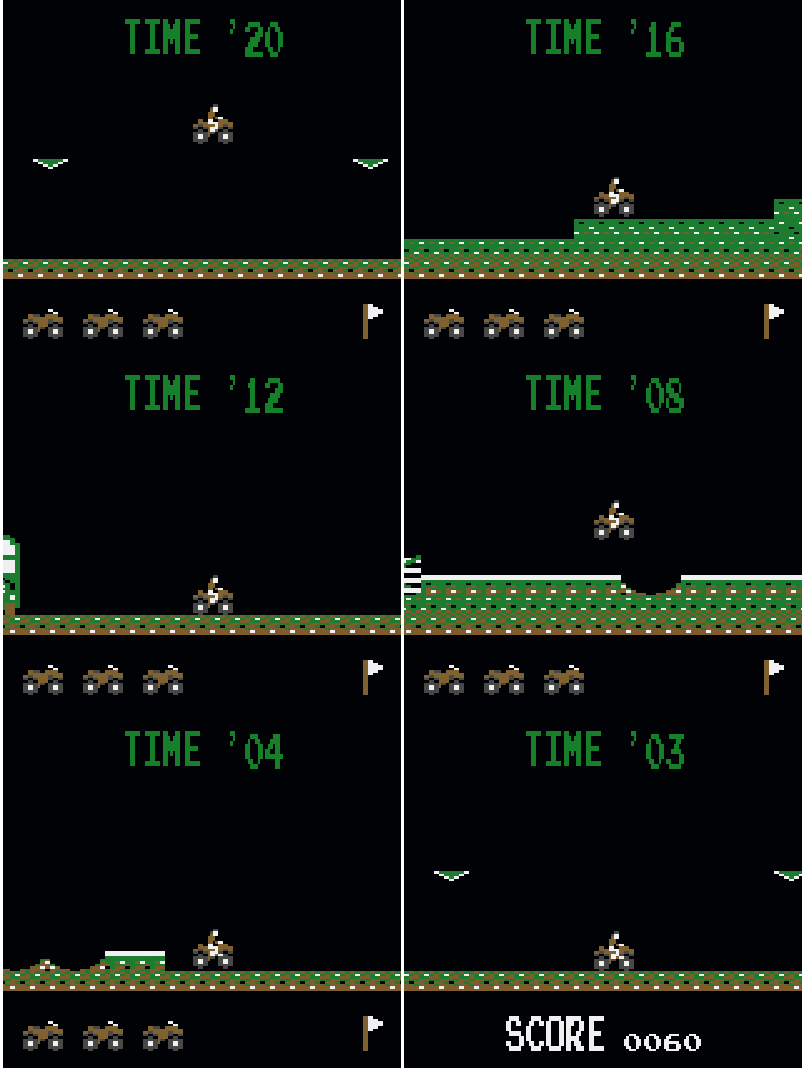
Play Kikstart online on Game Boy Color. Ride a dirt bike over logs and other obstacles in Kikstart, WLS's homebrew course challenge. A limited clock makes each jump matter, but a controlled approach to the next obstacle helps more than accelerating into every uneven stretch.
Browser play
Game Boy Color (GBC) — EmulatorJS controls
Default Player 1 keyboard mapping. Change keys in Controller Settings.
| Console button | Keyboard |
|---|---|
| ↑ / ↓ / ← / → | ↑ / ↓ / ← / → |
| A / B | Z / X |
| START / SELECT | Enter / V |
Open Controller Settings to configure your keyboard or gamepad. Touch controls are available on mobile.
How to Play Kikstart
Quick start
Press START, accelerate with RIGHT and try B over the first obstacle. Use LEFT to reduce speed before the next uncertain landing.
Controls
START begins, RIGHT accelerates, LEFT decelerates and B jumps. Read the terrain ahead and prepare the jump before reaching the log or obstacle.
Kikstart — About this game
Begin on the opening course and learn the distance between takeoff and landing. RIGHT accelerates, LEFT slows and B jumps. Release some speed before an unfamiliar obstacle, then compare the next attempt at the same point. The eight-course challenge rewards remembering the ground ahead and changing pace deliberately.
Cheats
No cheats have been added for this edition.
Player verification and sources
Browser play was reviewed before this edition was published in the catalogue. The date below is the catalogue publication date, not the game’s original release date.
- Browser test and catalogue publication date
- Browsers and devices
- PC: Chrome, Edge and Firefox. Mobile: Chrome on Android and Safari on iPhone and iPad.
- Player engine and core
- EmulatorJS 4.3.0-pre · gb
- Tested by
- rwEmulator
Sources and editorial basis
rwEmulator reviews edition metadata, release information, game manuals and first-hand browser-play notes. Available manuals are linked below; the editorial policy explains how facts are checked and corrections are handled.