More browsing paths
Play Kisekae Series 3 - Kisekae Hamster (Japan edition · Japanese) Online
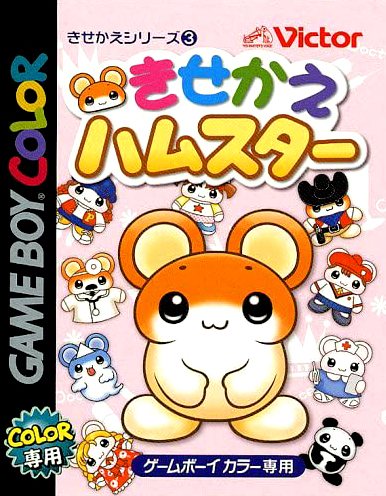
Kisekae Series 3 - Kisekae Hamster
Play Kisekae Series 3 - Kisekae Hamster online on GBC. Choose a hamster style and explore a cheerful activity world built around short games and playful customization.
Browser play
Game Boy Color (GBC) — EmulatorJS controls
Default Player 1 keyboard mapping. Change keys in Controller Settings.
| Console button | Keyboard |
|---|---|
| ↑ / ↓ / ← / → | ↑ / ↓ / ← / → |
| A / B | Z / X |
| START / SELECT | Enter / V |
Open Controller Settings to configure your keyboard or gamepad. Touch controls are available on mobile.
How to Play Kisekae Series 3 - Kisekae Hamster
Quick start
Choose a hamster, read the tutorial and try one destination on the main activity map.
Controls
D-pad selects menu entries; A confirms and B returns where offered. Activity movement and action buttons follow each game's displayed instructions.
Kisekae Series 3 - Kisekae Hamster — About this game
Begin by choosing your hamster and reading the opening explanation. Try one activity at a time and return to the main map when you want a different pace. The board game and other short challenges have separate rules, so watch their prompts before acting and use the appearance options to make the hamster feel your own.
Cheats
No cheats have been added for this edition.
Player verification and sources
Browser play was reviewed before this edition was published in the catalogue. The date below is the catalogue publication date, not the game’s original release date.
- Browser test and catalogue publication date
- Browsers and devices
- PC: Chrome, Edge and Firefox. Mobile: Chrome on Android and Safari on iPhone and iPad.
- Player engine and core
- EmulatorJS 4.3.0-pre · gb
- Tested by
- rwEmulator
Sources and editorial basis
rwEmulator reviews edition metadata, release information, game manuals and first-hand browser-play notes. Available manuals are linked below; the editorial policy explains how facts are checked and corrections are handled.