More browsing paths
Play Klustar (Proto 2 / 1999-09-28 / GB Compatible · Japan edition) Online
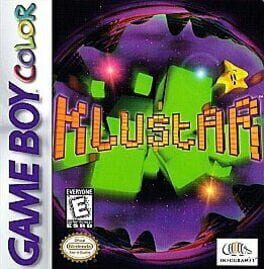
Klustar
Play Klustar online on GBC. Incoming shapes stick to a growing central cluster. Move and rotate that whole structure to complete square blocks, which disappear and let the remaining cluster collapse inward. The challenge is to keep it from becoming too large for the screen. Prototype build.
Browser play
Game Boy Color (GBC) — EmulatorJS controls
Default Player 1 keyboard mapping. Change keys in Controller Settings.
| Console button | Keyboard |
|---|---|
| ↑ / ↓ / ← / → | ↑ / ↓ / ← / → |
| A / B | Z / X |
| START / SELECT | Enter / V |
Open Controller Settings to configure your keyboard or gamepad. Touch controls are available on mobile.
How to Play Klustar
Quick start
Select one player and an easy setting. Move the cluster toward a useful shape, rotate with A/B and complete a square before the structure reaches the screen edges.
Controls
The D-pad moves the cluster in four directions. A rotates clockwise and B counterclockwise around the Magic Block. START begins or pauses the game.
Klustar — About this game
Klustar for Game Boy Color. Think about where the next shape will attach before moving the center. A rotation can complete a square or make another side dangerously wide. Endurance and Countdown provide different pressures, but both reward keeping useful attachment space open.
This entry is a prototype build of the game.
Klustar Game manuals
Cheats
No cheats have been added for this edition.
Player verification and sources
Browser play was reviewed before this edition was published in the catalogue. The date below is the catalogue publication date, not the game’s original release date.
- Browser test and catalogue publication date
- Browsers and devices
- PC: Chrome, Edge and Firefox. Mobile: Chrome on Android and Safari on iPhone and iPad.
- Player engine and core
- EmulatorJS 4.3.0-pre · gb
- Tested by
- rwEmulator
Sources and editorial basis
rwEmulator reviews edition metadata, release information, game manuals and first-hand browser-play notes. Available manuals are linked below; the editorial policy explains how facts are checked and corrections are handled.