More browsing paths
Play Kokoro ni Shimiru - Mouhitsu de Kaku - Aida Mitsuo DS (Japan edition · Japanese) Online
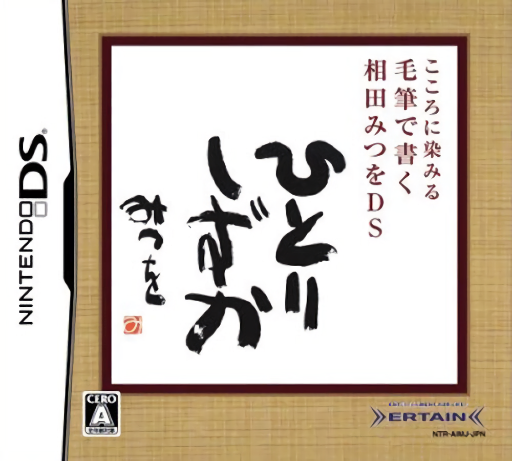
Kokoro ni Shimiru - Mouhitsu de Kaku - Aida Mitsuo DS
Play Kokoro ni Shimiru - Mouhitsu de Kaku - Aida Mitsuo DS online. Try a virtual ink brush by copying Mitsuo Aida’s calligraphy or opening the separate free-writing canvas for your own lettering and ink-style drawings.
Browser play
Nintendo DS (NDS) — EmulatorJS controls
Default Player 1 keyboard mapping. Change keys in Controller Settings.
| Console button | Keyboard |
|---|---|
| ↑ / ↓ / ← / → | ↑ / ↓ / ← / → |
| A / B / X / Y | Z / X / A / S |
| L / R | Q / E |
| START / SELECT | Enter / V |
| Microphone | Not assigned |
Open Controller Settings to configure your keyboard or gamepad. Touch controls are available on mobile.
How to Play Kokoro ni Shimiru - Mouhitsu de Kaku - Aida Mitsuo DS
Quick start
Choose copying or free writing. Read the model if copying, then make one slow stroke and one quick stroke to compare the ink. Try a short character or a simple drawing, inspect the result and use the displayed canvas controls to continue.
Controls
Draw directly on the touch screen with the stylus. Vary movement speed for dry or heavier lines, and pause or flick at the end of a stroke for different brush finishes. Select the shown menu and canvas tools before changing the model or starting another picture.
Kokoro ni Shimiru - Mouhitsu de Kaku - Aida Mitsuo DS — About this game
Try a virtual ink brush by copying Mitsuo Aida’s calligraphy or opening the separate free-writing canvas for your own lettering and ink-style drawings. Stroke speed changes the mark: a quick slide creates a drier line, while a slower movement produces a heavier stroke. Practise a short line, stop and flick the stylus deliberately, then compare the texture before attempting a whole character. Begin with a displayed model or a blank canvas and explore the brush through movement rather than searching for a quiz answer.
Kokoro ni Shimiru - Mouhitsu de Kaku - Aida Mitsuo DS Game manuals
Cheats
No cheats have been added for this edition.
Player verification and sources
Browser play was reviewed before this edition was published in the catalogue. The date below is the catalogue publication date, not the game’s original release date.
- Browser test and catalogue publication date
- Browsers and devices
- PC: Chrome, Edge and Firefox. Mobile: Chrome on Android and Safari on iPhone and iPad.
- Player engine and core
- EmulatorJS 4.3.0-pre · nds
- Tested by
- rwEmulator
Sources and editorial basis
rwEmulator reviews edition metadata, release information, game manuals and first-hand browser-play notes. Available manuals are linked below; the editorial policy explains how facts are checked and corrections are handled.