More browsing paths
Play Kuruma de DS (Japan edition · Japanese) Online
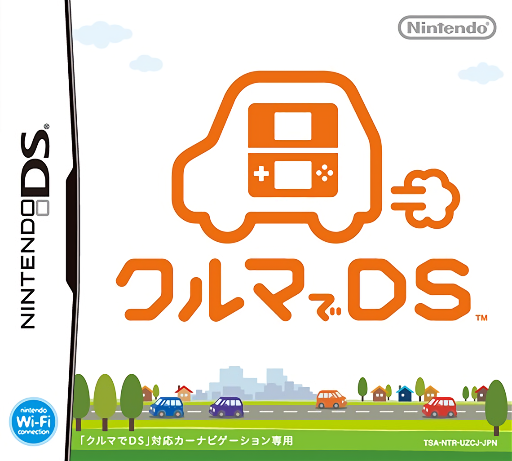
Kuruma de DS
Play Kuruma de DS online. Turn a journey into location-linked questions and sightseeing with this DS companion for compatible car-navigation equipment.
Browser play
Nintendo DS (NDS) — EmulatorJS controls
Default Player 1 keyboard mapping. Change keys in Controller Settings.
| Console button | Keyboard |
|---|---|
| ↑ / ↓ / ← / → | ↑ / ↓ / ← / → |
| A / B / X / Y | Z / X / A / S |
| L / R | Q / E |
| START / SELECT | Enter / V |
| Microphone | Not assigned |
Open Controller Settings to configure your keyboard or gamepad. Touch controls are available on mobile.
How to Play Kuruma de DS
Quick start
Open the software and follow its instructions for a compatible navigation connection. Once the relevant activities are available, inspect the displayed area and select an offered quiz. Read or listen, choose the answer and review the result before another question.
Controls
Use the displayed touch menus to choose map activities and answer options. Confirm the intended selection and follow the connection prompts when required. Position-linked functions use data from compatible navigation equipment; the current browser setup does not itself supply that connection.
Kuruma de DS — About this game
Turn a journey into location-linked questions and sightseeing with this DS companion for compatible car-navigation equipment. The original setup exchanges map and vehicle-position data with the navigation unit, while question and answer audio brings local quizzes into the trip. Look for the quiz opportunities associated with the displayed location, read or listen to the question and consider the offered answer choices. Begin with the software’s connection instructions and the activities available on your setup; navigation-linked play depends on its original companion equipment.
Kuruma de DS Game manuals
Cheats
No cheats have been added for this edition.
Player verification and sources
Browser play was reviewed before this edition was published in the catalogue. The date below is the catalogue publication date, not the game’s original release date.
- Browser test and catalogue publication date
- Browsers and devices
- PC: Chrome, Edge and Firefox. Mobile: Chrome on Android and Safari on iPhone and iPad.
- Player engine and core
- EmulatorJS 4.3.0-pre · nds
- Tested by
- rwEmulator
Sources and editorial basis
rwEmulator reviews edition metadata, release information, game manuals and first-hand browser-play notes. Available manuals are linked below; the editorial policy explains how facts are checked and corrections are handled.