More browsing paths
Play Lady Sia (Europe edition · English / French / German / Spanish / Italian / Dutch) Online
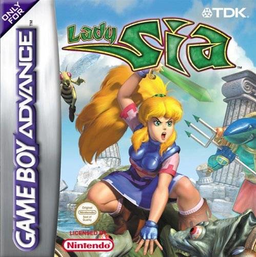
Lady Sia
Play Lady Sia online and lead the warrior princess through colourful GBA platform stages using sword combos, charged magic, transformations and hidden rescues.
Browser play
Game Boy Advance (GBA) — EmulatorJS controls
Default Player 1 keyboard mapping. Change keys in Controller Settings.
| Console button | Keyboard |
|---|---|
| ↑ / ↓ / ← / → | ↑ / ↓ / ← / → |
| A / B | Z / X |
| L / R | Q / E |
| START / SELECT | Enter / V |
Open Controller Settings to configure your keyboard or gamepad. Touch controls are available on mobile.
How to Play Lady Sia
Quick start
Choose New Game and begin the opening stage, then move right into the village and free the first prisoner before continuing toward the exit. Touch swirling checkpoints to restore a life point and set your return position. Use sword combos against nearby foes, charge an energy shot for distant switches, and search above and below the main route for gems and cages.
Controls
D-pad Left or Right walks and runs; Up or Down looks, enters doors or crouches, and diagonals crawl. A jumps and performs contextual actions. B slashes or fires an energy ball when held and released; R continues sword combos and L makes Sia walk quietly. As Sasquatch Sia, L dashes, A jumps, Down+A stomps and B swipes. START pauses.
Lady Sia Game manuals
Cheats
No cheats have been added for this edition.
Player verification and sources
Browser play was reviewed before this edition was published in the catalogue. The date below is the catalogue publication date, not the game’s original release date.
- Browser test and catalogue publication date
- Browsers and devices
- PC: Chrome, Edge and Firefox. Mobile: Chrome on Android and Safari on iPhone and iPad.
- Player engine and core
- EmulatorJS 4.3.0-pre · gba
- Tested by
- rwEmulator
Sources and editorial basis
rwEmulator reviews edition metadata, release information, game manuals and first-hand browser-play notes. Available manuals are linked below; the editorial policy explains how facts are checked and corrections are handled.