More browsing paths
Play Lagrange Point (Japan edition · Japanese) Online
Lagrange Point
Play Lagrange Point online. Go on a sci-fi adventure with Jin and his friends. Introducing how to proceed in the early stages, BP replenishment, weapon preparation, and records at the terminal.
Browser play
Nintendo Entertainment System (NES) / Famicom — EmulatorJS controls
Default Player 1 keyboard mapping. Change keys in Controller Settings.
| Console button | Keyboard |
|---|---|
| ↑ / ↓ / ← / → | ↑ / ↓ / ← / → |
| A / B | Z / X |
| START / SELECT | Enter / V |
Open Controller Settings to configure your keyboard or gamepad. Touch controls are available on mobile.
How to Play Lagrange Point
Quick start
Press START on the title, select "Start" and press A to confirm. Enter the name of the license card one character at a time using the cross keys and A. If you make a mistake, press B to go back, and finally select "End". Choose your message speed and go on an adventure. First, talk to the captain on the bed to receive the battle knife, then press START to open the menu and check your equipment. Recruit Dennis in the basement of Isis City, get ready, and head to Vesta 1 from the port on the third basement floor. In battle, normal weapon attacks also require BP, so it's safe to have a B pack with you. At the terminal, you can claim your bounty, replenish, and save.
Controls
Cross key: Move/move menu cursor. A: Talking to people, checking your feet, determining commands and items. For conversation, stand next to the person and face them, and for investigation, stand at the target location and press A. B: Cancel menu selection. START: Start from the title, open the menu on the normal screen. SELECT: Not used. Save in the terminal, and select the recording destination from 1 or 2.
Lagrange Point — About this game
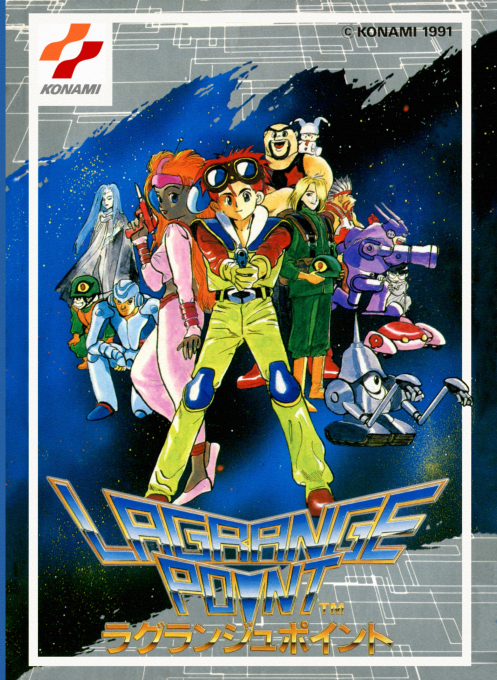
Jin comes to investigate a space colony where an incident has occurred, and while meeting his friends, confronts the bio army. Unlike the world of swords and magic, the main feature is that BP, which is equivalent to a battery, is used for weapon attacks. Even if you have plenty of HP, your fighting power will drop if your BP runs out, so you need to keep in mind the replenishment of your B pack and the capacity of your B tank when exploring. Humans, cyborgs, and robots have different special actions and recovery methods, and preparations will vary depending on who you bring with you. As the story progresses, you can combine weapons to create new equipment, so you can enjoy training that goes beyond simply buying new equipment at the store. Battle prizes are received at the terminal, and it is important to decide when to return to the base for supplies and records. The sound of FM sound source by VRC VII will color your adventures in the mechanical city and space.
Cheats
No cheats have been added for this edition.
Player verification and sources
Browser play was reviewed before this edition was published in the catalogue. The date below is the catalogue publication date, not the game’s original release date.
- Browser test and catalogue publication date
- Browsers and devices
- PC: Chrome, Edge and Firefox. Mobile: Chrome on Android and Safari on iPhone and iPad.
- Player engine and core
- EmulatorJS 4.3.0-pre · nes
- Tested by
- rwEmulator
Sources and editorial basis
rwEmulator reviews edition metadata, release information, game manuals and first-hand browser-play notes. Available manuals are linked below; the editorial policy explains how facts are checked and corrections are handled.