More browsing paths
Play Learn With Pokémon: Typing Adventure (Europe edition · English) Online
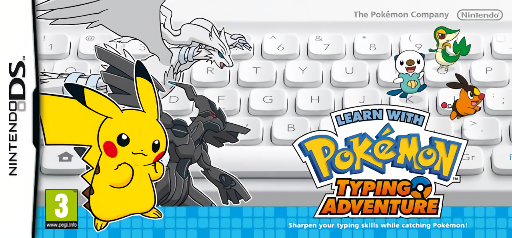
Learn with Pokemon - Typing Adventure
Play Learn With Pokémon: Typing Adventure online. Type Pokémon names accurately to catch them during a keyboard adventure. See the Nintendo DS starting guide and controls.
Browser play
Nintendo DS (NDS) — EmulatorJS controls
Default Player 1 keyboard mapping. Change keys in Controller Settings.
| Console button | Keyboard |
|---|---|
| ↑ / ↓ / ← / → | ↑ / ↓ / ← / → |
| A / B / X / Y | Z / X / A / S |
| L / R | Q / E |
| START / SELECT | Enter / V |
| Microphone | Not assigned |
Open Controller Settings to configure your keyboard or gamepad. Touch controls are available on mobile.
How to Play Learn With Pokémon: Typing Adventure
Quick start
Set up the supported keyboard input and follow the game's connection prompts. Choose a beginner course, type the displayed letters and then try a short Pokémon route.
Controls
Type the names shown on screen with the game's supported keyboard input. The original uses the Nintendo Wireless Keyboard; menu prompts explain selection and connection. Follow the displayed spelling rather than a Pokémon name remembered from another language.
Learn With Pokémon: Typing Adventure — About this game
Typing Adventure recruits you to the Elite Typists' Club to help research Pokémon. Creatures appear along a course and typing their displayed names correctly captures them in a Typing Ball; later encounters demand quicker, more accurate input. Start with beginner practice and learn the displayed letters before chasing speed. Replaying a route helps you spot names that caused mistakes and tackle its objectives more consistently. The original DS package uses the Nintendo Wireless Keyboard: confirm that your play setup supports the game's keyboard input before beginning, then follow its connection instructions.
Learn With Pokémon: Typing Adventure Game manuals
Cheats
No cheats have been added for this edition.
Player verification and sources
Browser play was reviewed before this edition was published in the catalogue. The date below is the catalogue publication date, not the game’s original release date.
- Browser test and catalogue publication date
- Browsers and devices
- PC: Chrome, Edge and Firefox. Mobile: Chrome on Android and Safari on iPhone and iPad.
- Player engine and core
- EmulatorJS 4.3.0-pre · nds
- Tested by
- rwEmulator
Sources and editorial basis
rwEmulator reviews edition metadata, release information, game manuals and first-hand browser-play notes. Available manuals are linked below; the editorial policy explains how facts are checked and corrections are handled.