More browsing paths
Play Legends of the Diamond: The Baseball Championship Game (US edition · English) Online
Legends of the Diamond
Play Legends of the Diamond online. Select a lineup of baseball greats, choose the field and learn the NES batting, pitching, fielding and base-running controls.
Browser play
Nintendo Entertainment System (NES) / Famicom — EmulatorJS controls
Default Player 1 keyboard mapping. Change keys in Controller Settings.
| Console button | Keyboard |
|---|---|
| ↑ / ↓ / ← / → | ↑ / ↓ / ← / → |
| A / B | Z / X |
| START / SELECT | Enter / V |
Open Controller Settings to configure your keyboard or gamepad. Touch controls are available on mobile.
How to Play Legends of the Diamond: The Baseball Championship Game
Quick start
Press Start, choose 1 Player with the D-pad and A, then select Official Game. Pick Random to get an initial lineup without choosing every player; review it and confirm OK with A. Choose your team, opponent and field, checking the weather symbols before confirming. Player 1 bats first. Position the batter and hold A as the pitch arrives. On defense, move the nearest available fielder towards the ball, then select a base and press A to throw.
Controls
D-pad moves the batter or fielder and selects bases. Hold A to swing; quick A taps during the wind-up prepare a bunt. For runners, choose a destination with the D-pad and B to advance; D-pad+A returns a runner. Pitch with A, holding Up for a slower ball or Down for a fastball; Left/Right during flight adds break. After catching, D-pad+A throws to a base and D-pad+B runs the ball there. Start calls time; A during time accesses substitutions. Press the direction before the action button for combined commands.
Legends of the Diamond: The Baseball Championship Game — About this game
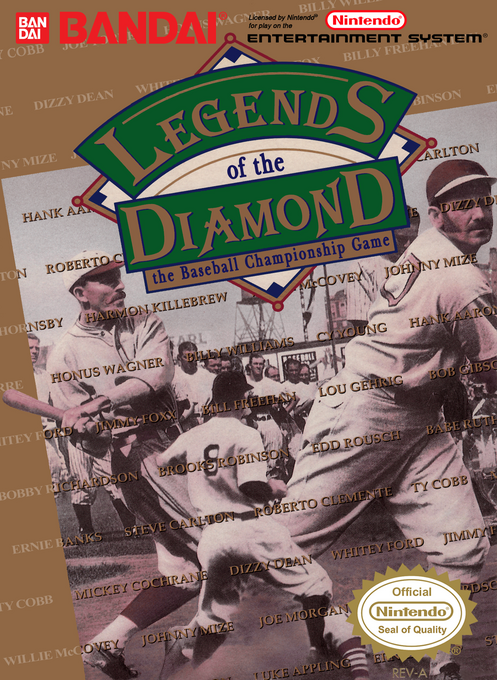
Legends of the Diamond lets you assemble a team from historical stars such as Babe Ruth, Lou Gehrig and Hank Aaron, then handle both the management decisions and the action on the field. You can let the computer generate a roster or pick players, positions and batting order yourself. Tournament play sets a sequence of opponents to beat, while Official Game lets you choose the opposition. Old and modern ballparks come with weather and wind conditions to consider. During play, batting depends on positioning and timing, pitching combines speed with directional break, and fielding requires you to move a defender before deciding where to throw. Pinch hitters and relief pitchers add choices as the game develops.
Cheats
No cheats have been added for this edition.
Player verification and sources
Browser play was reviewed before this edition was published in the catalogue. The date below is the catalogue publication date, not the game’s original release date.
- Browser test and catalogue publication date
- Browsers and devices
- PC: Chrome, Edge and Firefox. Mobile: Chrome on Android and Safari on iPhone and iPad.
- Player engine and core
- EmulatorJS 4.3.0-pre · nes
- Tested by
- rwEmulator
Sources and editorial basis
rwEmulator reviews edition metadata, release information, game manuals and first-hand browser-play notes. Available manuals are linked below; the editorial policy explains how facts are checked and corrections are handled.