More browsing paths
Play LEGO Bionicle (US edition · English / French) Online
Lego Bionicle
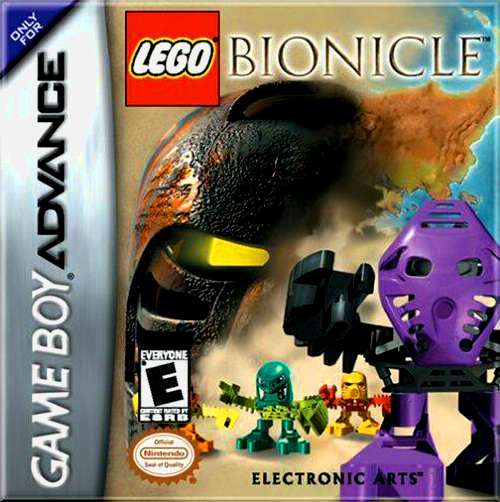
Play LEGO Bionicle online on GBA and guide Takua through six Mata Nui villages, solving puzzles and gathering the pieces needed to summon the Toa.
Browser play
Game Boy Advance (GBA) — EmulatorJS controls
Default Player 1 keyboard mapping. Change keys in Controller Settings.
| Console button | Keyboard |
|---|---|
| ↑ / ↓ / ← / → | ↑ / ↓ / ← / → |
| A / B | Z / X |
| L / R | Q / E |
| START / SELECT | Enter / V |
Open Controller Settings to configure your keyboard or gamepad. Touch controls are available on mobile.
How to Play LEGO Bionicle
Quick start
Press START and choose New Game; its opening training section teaches the basic actions before the adventure. As Takua, travel through Mata Nui's six villages, solve traps and puzzles and recover the six pieces needed to summon the heroic Toa. Talk to villagers and examine objects instead of rushing past them, then assign useful tools to L and R from the inventory.
Controls
D-pad moves; A ducks, uses, talks or examines; B jumps or cancels. L uses the tool assigned to the left slot and R uses the right-slot tool. START pauses and SELECT opens the inventory, where tools can be assigned. Menus use the D-pad and A.
LEGO Bionicle Game manuals
Cheats
No cheats have been added for this edition.
Player verification and sources
Browser play was reviewed before this edition was published in the catalogue. The date below is the catalogue publication date, not the game’s original release date.
- Browser test and catalogue publication date
- Browsers and devices
- PC: Chrome, Edge and Firefox. Mobile: Chrome on Android and Safari on iPhone and iPad.
- Player engine and core
- EmulatorJS 4.3.0-pre · gba
- Tested by
- rwEmulator
Sources and editorial basis
rwEmulator reviews edition metadata, release information, game manuals and first-hand browser-play notes. Available manuals are linked below; the editorial policy explains how facts are checked and corrections are handled.