More browsing paths
Play Lego Rock Band (US edition · English / French / German / Spanish / Italian / Danish) Online
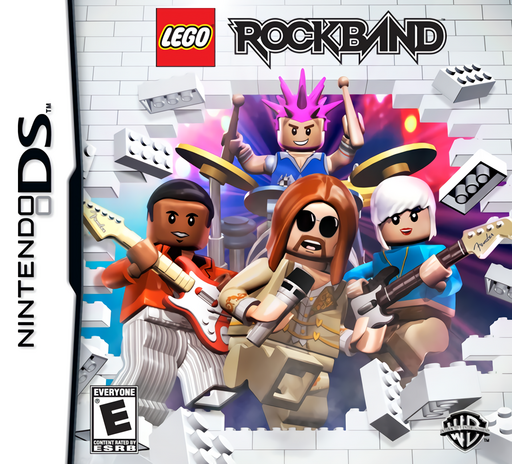
LEGO Rock Band
Play Lego Rock Band online. Switch between four instrument tracks and keep a whole LEGO band in rhythm. See the Nintendo DS starting guide and controls.
Browser play
Nintendo DS (NDS) — EmulatorJS controls
Default Player 1 keyboard mapping. Change keys in Controller Settings.
| Console button | Keyboard |
|---|---|
| ↑ / ↓ / ← / → | ↑ / ↓ / ← / → |
| A / B / X / Y | Z / X / A / S |
| L / R | Q / E |
| START / SELECT | Enter / V |
| Microphone | Not assigned |
Open Controller Settings to configure your keyboard or gamepad. Touch controls are available on mobile.
How to Play Lego Rock Band
Quick start
Create or choose a band, try the tutorial and start an easier song. Finish one phrase, look for another track needing attention and switch while keeping the beat.
Controls
Use the displayed note buttons or touch controls to hit notes at the target line. L/R switch instrument tracks in the button layout. Follow the chosen difficulty's note pattern and the tutorial's prompts for special notes and performance options.
Lego Rock Band — About this game
LEGO Rock Band on DS puts bass, guitar, drums and vocals under one player's timing controls. Play a phrase on one track, keep that performer happy and switch before another part needs attention. Purple brick notes help manage the gaps between switches, making awareness across the band as important as hitting a single stream. Begin with the tutorial and an easy song, learn the note controls and practice moving to a neighboring instrument. Tour venues unlock as your minifigure band develops, with customization between performances. The DS version uses its own buttons or touch interface and can also host local multiplayer.
Lego Rock Band Game manuals
Cheats
No cheats have been added for this edition.
Player verification and sources
Browser play was reviewed before this edition was published in the catalogue. The date below is the catalogue publication date, not the game’s original release date.
- Browser test and catalogue publication date
- Browsers and devices
- PC: Chrome, Edge and Firefox. Mobile: Chrome on Android and Safari on iPhone and iPad.
- Player engine and core
- EmulatorJS 4.3.0-pre · nds
- Tested by
- rwEmulator
Sources and editorial basis
rwEmulator reviews edition metadata, release information, game manuals and first-hand browser-play notes. Available manuals are linked below; the editorial policy explains how facts are checked and corrections are handled.