More browsing paths
Play LEGO Star Wars: The Video Game (Japan edition · Japanese) Online
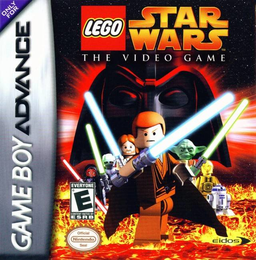
Lego Star Wars: The Video Game
Play LEGO Wars the Video Game online, switch between LEGO heroes, use the force, battle droids, and collect studs through story chapters.
Browser play
Game Boy Advance (GBA) — EmulatorJS controls
Default Player 1 keyboard mapping. Change keys in Controller Settings.
| Console button | Keyboard |
|---|---|
| ↑ / ↓ / ← / → | ↑ / ↓ / ← / → |
| A / B | Z / X |
| L / R | Q / E |
| START / SELECT | Enter / V |
Open Controller Settings to configure your keyboard or gamepad. Touch controls are available on mobile.
How to Play LEGO Star Wars: The Video Game
Quick start
Select new game, enter story mode, select Episode I and start Federation Ship Chapter. Move Qui-Gon and Obi-Wan through opening hallways, defeating battle droids, collecting studs, and using each character's Force or special abilities to spark LEGO objects. Switch characters and reach the chapter exit when panels and obstacles require other heroes.
Controls
D-pad moves the active letter. Jump, B attack, L uses the character's abilities, and R performs special actions. SELECT switch between available characters and START pose. Jedi can use highlighted object enforcement, while droids and other characters operate their own matching panels. Follow the on-screen prompts when the vehicle or context changes actions.
LEGO Star Wars: The Video Game Game manuals
Cheats
No cheats have been added for this edition.
Player verification and sources
Browser play was reviewed before this edition was published in the catalogue. The date below is the catalogue publication date, not the game’s original release date.
- Browser test and catalogue publication date
- Browsers and devices
- PC: Chrome, Edge and Firefox. Mobile: Chrome on Android and Safari on iPhone and iPad.
- Player engine and core
- EmulatorJS 4.3.0-pre · gba
- Tested by
- rwEmulator
Sources and editorial basis
rwEmulator reviews edition metadata, release information, game manuals and first-hand browser-play notes. Available manuals are linked below; the editorial policy explains how facts are checked and corrections are handled.