More browsing paths
Play Let's Draw! (US edition · English / French / Spanish) Online
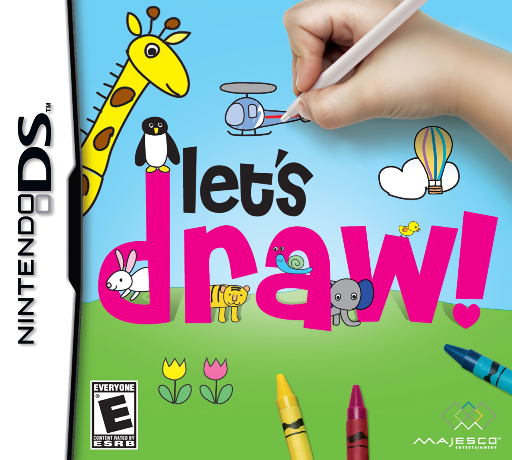
Let's Draw!
Play Let's Draw! online. Draw simple shapes step by step, animate the result and use your art in mini-games. See the Nintendo DS starting guide and controls.
Browser play
Nintendo DS (NDS) — EmulatorJS controls
Default Player 1 keyboard mapping. Change keys in Controller Settings.
| Console button | Keyboard |
|---|---|
| ↑ / ↓ / ← / → | ↑ / ↓ / ← / → |
| A / B / X / Y | Z / X / A / S |
| L / R | Q / E |
| START / SELECT | Enter / V |
| Microphone | Not assigned |
Open Controller Settings to configure your keyboard or gamepad. Touch controls are available on mobile.
How to Play Let's Draw!
Quick start
Choose a simple drawing lesson, listen to the first step and sketch each part with the stylus. Color and finish the picture, then try its animation or a game using your artwork.
Controls
Draw and color with the stylus and select the displayed art tools and menu choices. Mini-games have separate instructions; the paper-airplane activity uses microphone input, so follow its input prompt when choosing that activity.
Let's Draw! — About this game
Let's Draw teaches pictures by building them from basic shapes with spoken step-by-step guidance. Pick a model, follow one part at a time and color it before trying its simple animation. You can also make your own design and use drawings in games such as car racing, balloon popping or beetle battles. Begin with an easy model and finish the outline before adding detail; the lesson is a starting point rather than a score for realistic art. Save a picture you like and then choose a mini-game to see how your creation becomes part of play.
Let's Draw! Game manuals
Cheats
No cheats have been added for this edition.
Player verification and sources
Browser play was reviewed before this edition was published in the catalogue. The date below is the catalogue publication date, not the game’s original release date.
- Browser test and catalogue publication date
- Browsers and devices
- PC: Chrome, Edge and Firefox. Mobile: Chrome on Android and Safari on iPhone and iPad.
- Player engine and core
- EmulatorJS 4.3.0-pre · nds
- Tested by
- rwEmulator
Sources and editorial basis
rwEmulator reviews edition metadata, release information, game manuals and first-hand browser-play notes. Available manuals are linked below; the editorial policy explains how facts are checked and corrections are handled.