More browsing paths
Play Let's! Mangaka DS Style (Japan edition · Japanese) Online
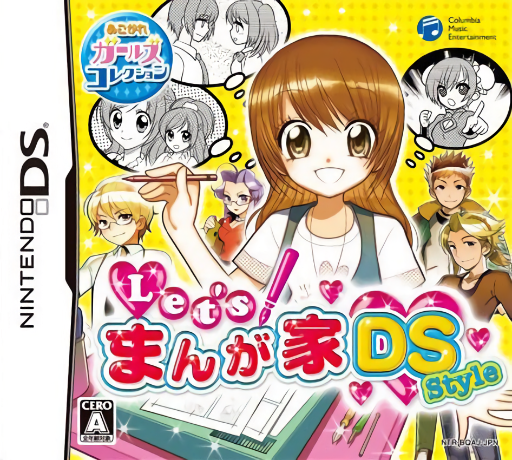
Let's! Mangaka DS Style
Play Let's! Mangaka DS Style online. Work from manga assistant to creator, then draw comics with pens, tones and effect lines. See the Nintendo DS starting guide and controls.
Browser play
Nintendo DS (NDS) — EmulatorJS controls
Default Player 1 keyboard mapping. Change keys in Controller Settings.
| Console button | Keyboard |
|---|---|
| ↑ / ↓ / ← / → | ↑ / ↓ / ← / → |
| A / B / X / Y | Z / X / A / S |
| L / R | Q / E |
| START / SELECT | Enter / V |
| Microphone | Not assigned |
Open Controller Settings to configure your keyboard or gamepad. Touch controls are available on mobile.
How to Play Let's! Mangaka DS Style
Quick start
Enter Story mode and follow the first assistant assignment. Practice its Skill Work, then open Drawing mode to try a pen and a tone on a small panel.
Controls
Use the stylus to draw, choose tools and place available manga materials. Read the current Skill Work instructions before starting; Drawing mode's tool menus control pens, color, tones and effect lines.
Let's! Mangaka DS Style — About this game
Let's! Mangaka DS Style combines a manga career with a separate drawing space. In Story mode, begin as an established artist's assistant and learn techniques through Skill Work; growing popularity leads to publication and other career events. Drawing mode supplies pens, color, screen tones, effect lines and ready-made art sheets that can be combined into a page. Start with the assistant's first task and learn one tool before decorating an entire panel. In Drawing mode, choose a simple composition, place its artwork and add lettering or details with the available tools.
Let's! Mangaka DS Style Game manuals
Cheats
No cheats have been added for this edition.
Player verification and sources
Browser play was reviewed before this edition was published in the catalogue. The date below is the catalogue publication date, not the game’s original release date.
- Browser test and catalogue publication date
- Browsers and devices
- PC: Chrome, Edge and Firefox. Mobile: Chrome on Android and Safari on iPhone and iPad.
- Player engine and core
- EmulatorJS 4.3.0-pre · nds
- Tested by
- rwEmulator
Sources and editorial basis
rwEmulator reviews edition metadata, release information, game manuals and first-hand browser-play notes. Available manuals are linked below; the editorial policy explains how facts are checked and corrections are handled.