More browsing paths
Play Let's Play Fashion Designer (Europe edition · English / French / German / Spanish / Italian) Online
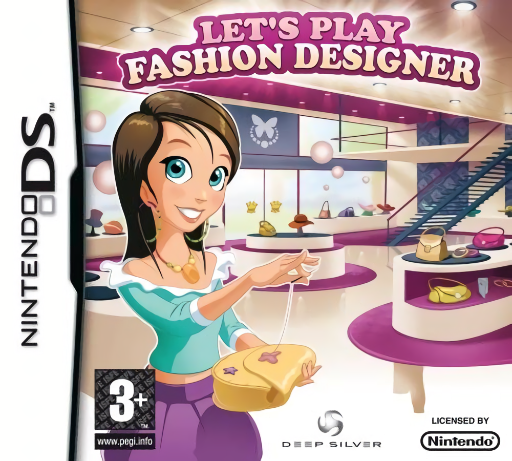
Let's Play Fashion Designer
Play Let's Play Fashion Designer online. Create fashion collections, meet accessory requests and sell designs in your boutique. See the Nintendo DS starting guide and controls.
Browser play
Nintendo DS (NDS) — EmulatorJS controls
Default Player 1 keyboard mapping. Change keys in Controller Settings.
| Console button | Keyboard |
|---|---|
| ↑ / ↓ / ← / → | ↑ / ↓ / ← / → |
| A / B / X / Y | Z / X / A / S |
| L / R | Q / E |
| START / SELECT | Enter / V |
| Microphone | Not assigned |
Open Controller Settings to configure your keyboard or gamepad. Touch controls are available on mobile.
How to Play Let's Play Fashion Designer
Quick start
Begin the career and read the first customer's request. Select the design options, complete one item and check the response before preparing another piece for your boutique.
Controls
Use the stylus to choose design options, decorate accessories and navigate the boutique and collection menus. Follow the current task's touch instructions and review the requested style before confirming an item.
Let's Play Fashion Designer — About this game
Let's Play Fashion Designer puts the stylus at the center of a design career. Build a collection and make accessories either for a customer's request or from your own ideas, then develop your boutique and work toward catwalk appearances in fashion cities. Start by reading the first design brief and choosing a piece that fits it. Compare shape and decoration before confirming the finished item; a design you like may still miss the requested style. Learn one creation task and its feedback before rushing to make a whole collection, then return to the shop to continue the career.
Let's Play Fashion Designer Game manuals
Cheats
No cheats have been added for this edition.
Player verification and sources
Browser play was reviewed before this edition was published in the catalogue. The date below is the catalogue publication date, not the game’s original release date.
- Browser test and catalogue publication date
- Browsers and devices
- PC: Chrome, Edge and Firefox. Mobile: Chrome on Android and Safari on iPhone and iPad.
- Player engine and core
- EmulatorJS 4.3.0-pre · nds
- Tested by
- rwEmulator
Sources and editorial basis
rwEmulator reviews edition metadata, release information, game manuals and first-hand browser-play notes. Available manuals are linked below; the editorial policy explains how facts are checked and corrections are handled.