More browsing paths
Play Let's Play Garden (US edition · English / French / Spanish) Online
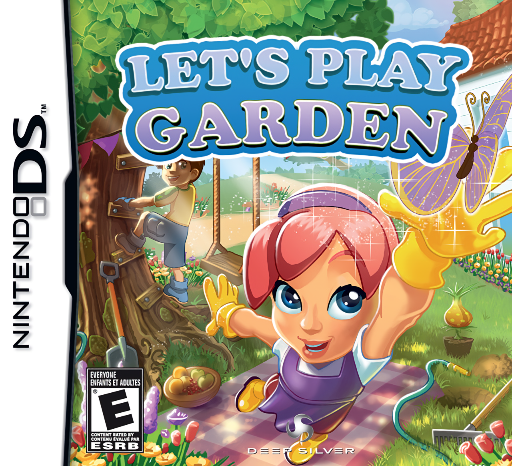
Let's Play Garden
Play Let's Play Garden online. Raise a virtual garden and win seasonal mini-games to reveal new areas. See the Nintendo DS starting guide and controls.
Browser play
Nintendo DS (NDS) — EmulatorJS controls
Default Player 1 keyboard mapping. Change keys in Controller Settings.
| Console button | Keyboard |
|---|---|
| ↑ / ↓ / ← / → | ↑ / ↓ / ← / → |
| A / B / X / Y | Z / X / A / S |
| L / R | Q / E |
| START / SELECT | Enter / V |
| Microphone | Not assigned |
Open Controller Settings to configure your keyboard or gamepad. Touch controls are available on mobile.
How to Play Let's Play Garden
Quick start
Open the garden and select an available seasonal activity. Read the target, finish a first round and examine its reward card before exploring newly available garden space.
Controls
Use the DS touch-screen choices and the gestures displayed for each mini-game. Select targets or move objects as instructed; throwing and gardening tasks have separate rules, so read the current activity before acting.
Let's Play Garden — About this game
Let's Play Garden combines virtual flowers, fruit and vegetables with short seasonal challenges. Tomato throwing and snowball fights turn the changing seasons into games; success at different difficulties earns cards that reveal more of the garden and improve the greenhouse. Begin with an available task, read its target and try the simplest level before chasing a higher result. Check a new card after the round to see what it adds, then return to the garden for another activity. This DS version presents the activities as single-player progress, so focus on building your own garden through the reward cycle.
Let's Play Garden Game manuals
Cheats
No cheats have been added for this edition.
Player verification and sources
Browser play was reviewed before this edition was published in the catalogue. The date below is the catalogue publication date, not the game’s original release date.
- Browser test and catalogue publication date
- Browsers and devices
- PC: Chrome, Edge and Firefox. Mobile: Chrome on Android and Safari on iPhone and iPad.
- Player engine and core
- EmulatorJS 4.3.0-pre · nds
- Tested by
- rwEmulator
Sources and editorial basis
rwEmulator reviews edition metadata, release information, game manuals and first-hand browser-play notes. Available manuals are linked below; the editorial policy explains how facts are checked and corrections are handled.