More browsing paths
Play Little Mermaid, The - Ariel's Undersea Adventure (US edition · English / French / German / Spanish / Italian) Online
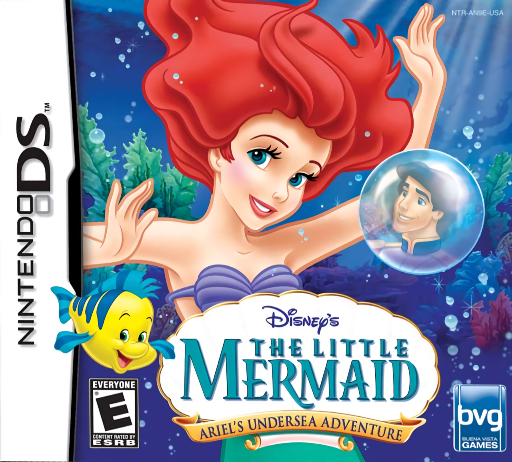
Little Mermaid, The - Ariel's Undersea Adventure
Play Little Mermaid, The - Ariel's Undersea Adventure online. Explore Rainbow Reef, uncover treasures and solve Ariel's touch and microphone tasks. See the Nintendo DS starting guide and controls.
Browser play
Nintendo DS (NDS) — EmulatorJS controls
Default Player 1 keyboard mapping. Change keys in Controller Settings.
| Console button | Keyboard |
|---|---|
| ↑ / ↓ / ← / → | ↑ / ↓ / ← / → |
| A / B / X / Y | Z / X / A / S |
| L / R | Q / E |
| START / SELECT | Enter / V |
| Microphone | Not assigned |
Open Controller Settings to configure your keyboard or gamepad. Touch controls are available on mobile.
How to Play Little Mermaid, The - Ariel's Undersea Adventure
Quick start
Choose New Game and follow the first task to reopen the Sea Slide. Tap a mission star, inspect the objective and collect the required objects; test microphone sensitivity in Options if needed.
Controls
Control Pad swims, X opens Adventure Screen and START pauses. Tap objects, rub or swipe as prompted and drag inventory items to use them. Blow or sing when asked; SELECT opens the map after repairing the Sea Slide.
Little Mermaid, The - Ariel's Undersea Adventure — About this game
Ariel's Undersea Adventure begins with strange currents disturbing Rainbow Reef. Help reopen the Sea Slide, then follow mission stars and Sebastian's advice to aid friends and investigate the weather. Swim with the Control Pad, tap collectibles and use the inventory for useful objects. Treasure hunting adds digging, cleaning and microphone tasks: blow sand away or sing the displayed notes to open a chest. In dangerous waters, choose hiding spots rather than swimming into a threat. Begin with the first reef task and learn the Adventure Screen before searching every corner.
Little Mermaid, The - Ariel's Undersea Adventure Game manuals
Cheats
No cheats have been added for this edition.
Player verification and sources
Browser play was reviewed before this edition was published in the catalogue. The date below is the catalogue publication date, not the game’s original release date.
- Browser test and catalogue publication date
- Browsers and devices
- PC: Chrome, Edge and Firefox. Mobile: Chrome on Android and Safari on iPhone and iPad.
- Player engine and core
- EmulatorJS 4.3.0-pre · nds
- Tested by
- rwEmulator
Sources and editorial basis
rwEmulator reviews edition metadata, release information, game manuals and first-hand browser-play notes. Available manuals are linked below; the editorial policy explains how facts are checked and corrections are handled.