More browsing paths
Play Littlest Pet Shop - City Friends (US edition · English / French / Spanish) Online
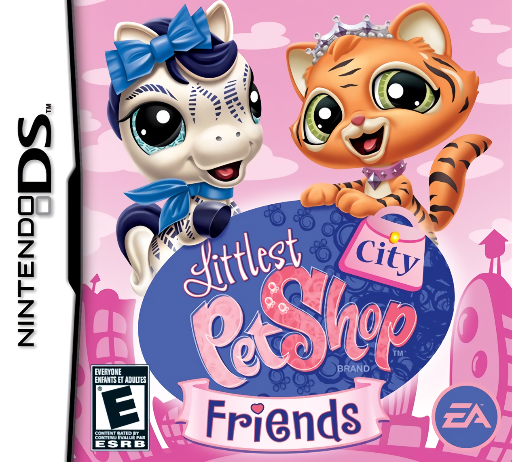
Littlest Pet Shop - City Friends
Play Littlest Pet Shop - City Friends online. Explore the pet town, match colors and turn craft supplies into party preparations. See the Nintendo DS starting guide and controls.
Browser play
Nintendo DS (NDS) — EmulatorJS controls
Default Player 1 keyboard mapping. Change keys in Controller Settings.
| Console button | Keyboard |
|---|---|
| ↑ / ↓ / ← / → | ↑ / ↓ / ← / → |
| A / B / X / Y | Z / X / A / S |
| L / R | Q / E |
| START / SELECT | Enter / V |
| Microphone | Not assigned |
Open Controller Settings to configure your keyboard or gamepad. Touch controls are available on mobile.
How to Play Littlest Pet Shop - City Friends
Quick start
Follow the opening request into town and try its activity. Check the example before matching or sorting, collect the reward and visit the next pet involved in the celebration.
Controls
Tap the destination, pet and activity choices with the stylus. Use the displayed touch actions for colors or materials and the shop menus for purchases. Follow the current request instead of assuming every shop uses the same task.
Littlest Pet Shop - City Friends — About this game
Littlest Pet Shop: City Friends ties small creative tasks to preparing a surprise celebration. Follow requests around town, work with each pet's best friend and gather decorations or serve treats as the plan develops. Color mixing and material sorting ask you to inspect the example before choosing, while earned Kibble buys clothes and accessories. Begin with one request rather than spending all your currency immediately. City Friends has its own exclusive pets, but shares the main story and activities with Beach and Country Friends. Complete a preparation task, check who needs help next and use shopping as a break between requests.
Littlest Pet Shop - City Friends Game manuals
Cheats
No cheats have been added for this edition.
Player verification and sources
Browser play was reviewed before this edition was published in the catalogue. The date below is the catalogue publication date, not the game’s original release date.
- Browser test and catalogue publication date
- Browsers and devices
- PC: Chrome, Edge and Firefox. Mobile: Chrome on Android and Safari on iPhone and iPad.
- Player engine and core
- EmulatorJS 4.3.0-pre · nds
- Tested by
- rwEmulator
Sources and editorial basis
rwEmulator reviews edition metadata, release information, game manuals and first-hand browser-play notes. Available manuals are linked below; the editorial policy explains how facts are checked and corrections are handled.