More browsing paths
Play Lock’s Quest (US edition · English / French) Online
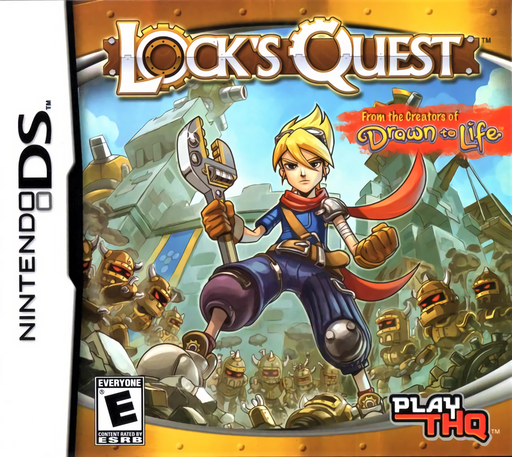
Lock's Quest
Play Lock’s Quest online. Learn the Seacrest Shores opening, build walls and turrets, and use the Nintendo DS touch controls for battle and repair.
Browser play
Nintendo DS (NDS) — EmulatorJS controls
Default Player 1 keyboard mapping. Change keys in Controller Settings.
| Console button | Keyboard |
|---|---|
| ↑ / ↓ / ← / → | ↑ / ↓ / ← / → |
| A / B / X / Y | Z / X / A / S |
| L / R | Q / E |
| START / SELECT | Enter / V |
| Microphone | Not assigned |
Open Controller Settings to configure your keyboard or gamepad. Touch controls are available on mobile.
How to Play Lock’s Quest
Quick start
Follow the opening scenes in Seacrest Shores and practise touching characters to talk. Speak to Tobias to continue the early instruction. In the building lessons, drag the available structures onto marked grid spaces and adjust their orientation. When battle begins, keep Lock near the threatened defences, help attack isolated Clockworks and repair damage while watching the objective and timer.
Controls
Use the stylus to move Lock, interact with people or enemies and operate the building interface. Drag structures from the toolbox onto buildable grid spaces; use its rotation controls when needed. The D-pad scrolls the map separately from Lock. In battle, touch targets and follow the displayed attack or repair gestures. Construction tools and combat actions have different on-screen controls.
Lock’s Quest — About this game
Lock’s Quest combines building a defence with taking part in the battle it must survive. During Build, spend Source on walls, turrets and other structures within the marked grid, rotating pieces to fit the terrain. During Battle, Lock moves through the field, attacks Clockworks and repairs damaged defences while the turrets keep firing. The objective changes with the day: protecting a Source Well is different from rescuing a target or clearing enemies before time runs out. A strong wall is useful only if its turrets cover the approaches and Lock can reach the parts that need repair. Check the stated win and loss conditions before committing your resources, then use the next building interval to improve what failed.
Lock’s Quest Game manuals
Cheats
No cheats have been added for this edition.
Player verification and sources
Browser play was reviewed before this edition was published in the catalogue. The date below is the catalogue publication date, not the game’s original release date.
- Browser test and catalogue publication date
- Browsers and devices
- PC: Chrome, Edge and Firefox. Mobile: Chrome on Android and Safari on iPhone and iPad.
- Player engine and core
- EmulatorJS 4.3.0-pre · nds
- Tested by
- rwEmulator
Sources and editorial basis
rwEmulator reviews edition metadata, release information, game manuals and first-hand browser-play notes. Available manuals are linked below; the editorial policy explains how facts are checked and corrections are handled.