More browsing paths
Play LostMagic (US edition · English / French / German / Spanish) Online
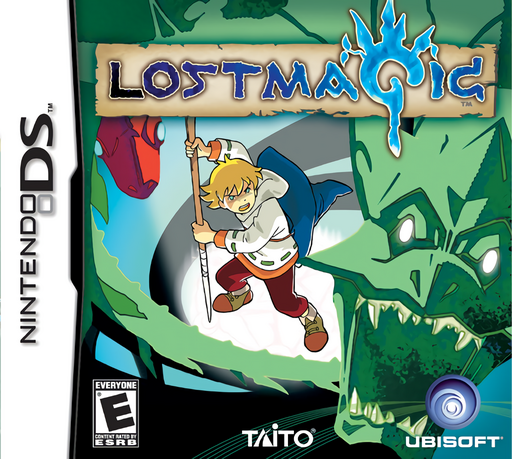
LostMagic
Play LostMagic online. Draw runes to cast Isaac’s spells and command captured monsters in real-time battles. Learn how to start and use the original Nintendo DS controls.
Browser play
Nintendo DS (NDS) — EmulatorJS controls
Default Player 1 keyboard mapping. Change keys in Controller Settings.
| Console button | Keyboard |
|---|---|
| ↑ / ↓ / ← / → | ↑ / ↓ / ← / → |
| A / B / X / Y | Z / X / A / S |
| L / R | Q / E |
| START / SELECT | Enter / V |
| Microphone | Not assigned |
Open Controller Settings to configure your keyboard or gamepad. Touch controls are available on mobile.
How to Play LostMagic
Quick start
Follow the opening tutorial: touch Isaac, then tap the chest to move him. In right-handed mode, hold L and copy the Fire Rune shown on the upper screen, release L and indicate the casting direction. Use the practice enemies to learn targeting before managing a monster group.
Controls
Touch: select units or groups, then tap a destination; draw runes and choose spell targets. Hold L: Rune Template in right-handed mode; release after drawing to aim the spell. D-Pad: scroll map. Left-handed mode uses R for runes and A/B/X/Y for scrolling. START: pause battle.
LostMagic — About this game
LostMagic puts spellcasting and battlefield orders on the DS touch screen. You select Isaac and his allied monsters, give them destinations, then switch to rune drawing to prepare a spell. Tracing the right symbol is only the first step: choosing where to send it matters just as much when enemies are moving. Later, capturing monsters adds frontline support, and combining learned runes creates more magical options. Each fight asks you to balance movement, protection and casting rather than rely on a single attack command. Learning clear, quick strokes helps keep your attention on the wider battlefield.
LostMagic Game manuals
Cheats
No cheats have been added for this edition.
Player verification and sources
Browser play was reviewed before this edition was published in the catalogue. The date below is the catalogue publication date, not the game’s original release date.
- Browser test and catalogue publication date
- Browsers and devices
- PC: Chrome, Edge and Firefox. Mobile: Chrome on Android and Safari on iPhone and iPad.
- Player engine and core
- EmulatorJS 4.3.0-pre · nds
- Tested by
- rwEmulator
Sources and editorial basis
rwEmulator reviews edition metadata, release information, game manuals and first-hand browser-play notes. Available manuals are linked below; the editorial policy explains how facts are checked and corrections are handled.