More browsing paths
Play Love Hina Party (Japan edition · Japanese) Online
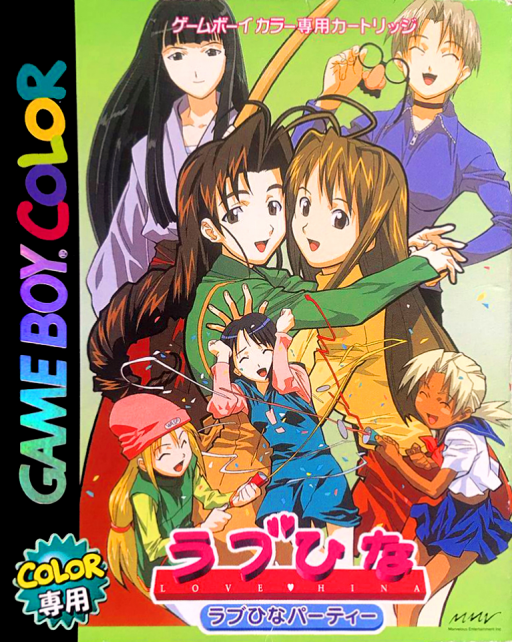
Love Hina Party
Play Love Hina Party online on Game Boy Color. Spend a lively day around Hinata House in Love Hina Party, talking with residents and entering short activities found at different places. Conversation and mini-games connect the familiar cast's comic daily events.
Browser play
Game Boy Color (GBC) — EmulatorJS controls
Default Player 1 keyboard mapping. Change keys in Controller Settings.
| Console button | Keyboard |
|---|---|
| ↑ / ↓ / ← / → | ↑ / ↓ / ← / → |
| A / B | Z / X |
| START / SELECT | Enter / V |
Open Controller Settings to configure your keyboard or gamepad. Touch controls are available on mobile.
How to Play Love Hina Party
Quick start
Start the day, talk to a nearby resident and explore an available location. Read the first mini-game's instructions and complete an attempt before seeking another event.
Controls
Use the D-pad to select destinations and choices, A to advance or confirm and B to return where offered. Mini-games use their own displayed action buttons; check the current goal and timing when they start.
Love Hina Party — About this game
Read a conversation before moving to the next location, and check each activity's objective when it begins. Memory and reaction tasks call for different attention, so try a small input before pressing quickly. Keeping track of who you just met helps you follow the day's changing events.
Cheats
No cheats have been added for this edition.
Player verification and sources
Browser play was reviewed before this edition was published in the catalogue. The date below is the catalogue publication date, not the game’s original release date.
- Browser test and catalogue publication date
- Browsers and devices
- PC: Chrome, Edge and Firefox. Mobile: Chrome on Android and Safari on iPhone and iPad.
- Player engine and core
- EmulatorJS 4.3.0-pre · gb
- Tested by
- rwEmulator
Sources and editorial basis
rwEmulator reviews edition metadata, release information, game manuals and first-hand browser-play notes. Available manuals are linked below; the editorial policy explains how facts are checked and corrections are handled.