More browsing paths
Play Madagascar (Europe edition · English) Online
Madagascar
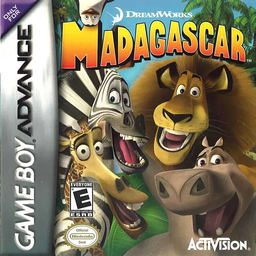
Play Madagascar online and guide Alex, Marty, Melman and Gloria through GBA platform missions, switching animals to combine their jumps, attacks, stealth and swimming skills.
Browser play
Game Boy Advance (GBA) — EmulatorJS controls
Default Player 1 keyboard mapping. Change keys in Controller Settings.
| Console button | Keyboard |
|---|---|
| ↑ / ↓ / ← / → | ↑ / ↓ / ← / → |
| A / B | Z / X |
| L / R | Q / E |
| START / SELECT | Enter / V |
Open Controller Settings to configure your keyboard or gamepad. Touch controls are available on mobile.
How to Play Madagascar
Quick start
Select a New Game slot and begin the opening training sequence as Alex. Find and talk to the penguin trainers in the trees, then complete each short lesson to learn Alex’s double jump, Marty’s run, Melman’s hiding skill and Gloria’s swimming before starting Daily Grind. Talk to penguins for challenge hints and switch animals when an obstacle needs another ability.
Controls
D-pad moves every animal. A jumps; Alex and Melman press A twice to double-jump. B uses the active animal’s attack: Alex roars, Marty kicks, Melman sneezes and Gloria stomps. Marty holds Down while moving to sneak and presses Up near a crate to hide; Gloria uses the D-pad to swim and Down to dive. L and R switch available characters; START pauses.
Madagascar Game manuals
Cheats
No cheats have been added for this edition.
Player verification and sources
Browser play was reviewed before this edition was published in the catalogue. The date below is the catalogue publication date, not the game’s original release date.
- Browser test and catalogue publication date
- Browsers and devices
- PC: Chrome, Edge and Firefox. Mobile: Chrome on Android and Safari on iPhone and iPad.
- Player engine and core
- EmulatorJS 4.3.0-pre · gba
- Tested by
- rwEmulator
Sources and editorial basis
rwEmulator reviews edition metadata, release information, game manuals and first-hand browser-play notes. Available manuals are linked below; the editorial policy explains how facts are checked and corrections are handled.